Nextcloud's built-in Collabora server, CVE-2026-110447: exploited since 10 September, fixed in 26.4.303, and why updating is not the last step
Nextcloud can edit documents in the browser through Collabora. The easiest way to switch that on is an app that downloads and starts a Collabora server on the same machine. That convenience is the part with the flaw. It has been used against real servers since at least 10 September, the CISA exploited list added it on 23 October, and the deadline CISA set was 26 October.
This note is for you if you run Nextcloud, or if someone runs it for you. Everything is as of 29 October 2026, and every claim links to its source at the end.
The short version
- CVE-2026-110447 (CWE-78, OS command injection): the built-in Collabora Online CODE server app for Nextcloud, richdocumentscode, before version 26.4.303, allows remote code execution through proxy.php when the CODE server is not running, for example after a restart. CVSS 4.0 9.2.
- It was exploited in the wild in September and October 2026, and CISA lists it with ransomware use recorded as Unknown, which means not recorded.
- Fixed in richdocumentscode 26.4.303. The project said on the issue that the flaw affects only the Development Edition and only the built-in server mode that downloads a local server image.
- Not affected, according to the CVE record, are standalone Collabora Online servers. A Nextcloud forum post adds that a Docker or distribution-package Collabora server, or a hosted one, is not affected either.
- Updating does not remove a web shell that is already there. If your app was on 26.4.302 or earlier and reachable, check for one before you consider this done.
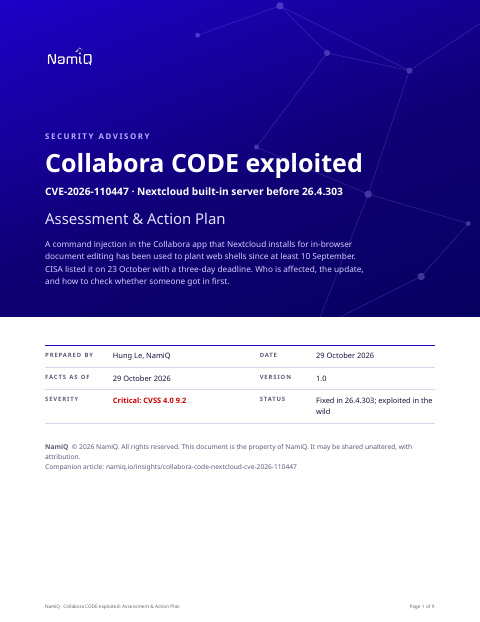 Free PDF · 9 pagesCollabora CODE exploited: Assessment & Action PlanThe full version as a PDF for whoever runs your Nextcloud: what the flaw is, who is and is not affected, severity decoded, a dated timeline, exposure by deployment, the update, a hunt for web shells and what to rotate if you find one, and a definition of done.Download the PDF →
What the bug is
The built-in server app starts a Collabora process by running a command from PHP. A file in the app, proxy.php, answers requests aimed at that server. The CVE record says that when the server is not running, the request path reaches a command without the special characters being neutralised. An attacker can then put shell syntax in the URL and have the web server user run it.
The requests an operator posted to the project's issue show the shape. They go to apps/richdocumentscode/proxy.php?status, they contain command substitution written as $( ), a whitespace trick written as ${IFS}, an encoded path traversal written as %2e%2e, and a base64 payload piped to a shell. The payloads wrote a small PHP file and then called out to an external web service. That is a recovery of the operator's own logs, not our test, and we have not reproduced it.
Who is affected, and who is not
Two things have to be true: the app named richdocumentscode is installed, and its version is older than 26.4.303. The app is called Collabora Online - Built-in CODE Server in the Nextcloud app list. The connector called richdocuments is a different app: on its own it only points Nextcloud at a Collabora server somewhere else, and that server is not what this CVE is about.
The words matter because the two names are one letter apart, and a search of the app list for "collabora" finds both.
Why updating is not the last step
The flaw was exploited for weeks before it had a CVE. Operators on the issue and on the Nextcloud forum report finding PHP files that were not part of the app, named with a prefix such as shx, shrf or Nx. One of them contained a single line that runs whatever is passed in the URL. A file like that survives an update: the app update replaces the app's own files, not the extra one. It keeps working as long as the web server can run it.
One operator wrote that the update made Nextcloud's integrity check fail, and that is how they found the extra file. We treat that as the cheapest test there is, and the first one to run.
Things people will get wrong
- "We updated, so we are fine." Only if no one used the flaw before you did. The check for an extra file is separate from the update.
- "We use Collabora, so we are affected." Only the built-in app is. A separate server, in Docker or from a package, is a different thing to check.
- "It needs the CODE server to be down, so it is rare." The record gives a restart as the example of the server not running; an upgrade or a crash would do the same. We do not know how long the window lasts, so we do not rely on it being short.
- "Our server is behind a login." The affected request goes to a file in the app, not to the Nextcloud login. We have not tested whether a login in front of the site blocks it, so do not assume it does.
- "Web shell names tell us what to look for." The first reports used one prefix and a later one used another. Look for any PHP file that is not part of the app, not for a name.
How we would triage it
This is our judgement, built on the facts above.
- First find out whether you have the built-in app at all. If you do not, this is not your CVE.
- If you do and it is older than 26.4.303 and the server is reachable from outside, treat it as an incident until the hunt says otherwise, not as a patch.
- Update before you hunt only if you will keep the evidence. Copy the app directory and the logs first, so the update does not destroy what you are about to look for.
Step 1: find the app and its version
Run these as the web server user from the Nextcloud directory. The path to occ, and the user, depend on your install.
php occ app:list | grep -i richdocuments
# richdocumentscode is the built-in server. richdocuments is the connector.

php occ integrity:check-app richdocumentscode
A custom_apps directory holds apps you installed yourself. Check there as well as in apps.
Step 2: update, or remove the app
php occ app:update richdocumentscode
php occ app:list | grep richdocumentscode   # expect 26.4.303 or later

# If you do not need in-browser editing on this server:
php occ app:disable richdocumentscode
If you rely on browser editing, the supported alternative the forum names is a Collabora server run separately, in Docker or from a package, connected through the richdocuments connector. That is a larger change and not one for the middle of an incident.
Step 3: look for someone who got there first
# PHP files in the app that are not part of it: compare with the integrity check
find apps/richdocumentscode custom_apps/richdocumentscode -name '*.php' -newermt '2026-09-01' 2>/dev/null

# Requests to the endpoint that carry shell syntax, back to 10 September
grep 'richdocumentscode/proxy.php' /var/log/nginx/access.log* /var/log/apache2/access.log* 2>/dev/null \
  | grep -E '\$\(|IFS|%2e%2e|%2E%2E'
The log paths are examples; use the ones your server writes. A hit in the logs does not by itself mean the attack worked, and no hit does not mean it did not: logs rotate, and you may only keep a few weeks. A file you cannot explain, in a directory the web server can run PHP from, is the stronger signal.
Step 4: if you find a web shell
- Take a copy of the file and the logs, then isolate the host from the network. Do not delete first.
- Assume the web server user's reach: the Nextcloud configuration file with its database password and secret, the database, app passwords and anything in the data directory. Rotate what it could read.
- Decide whether to clean or rebuild. A web shell is the part you found, not necessarily the only thing placed. If the host holds anything that matters, we would rebuild from a known good copy.
- Look for what was done with it. The operator on the issue reported discovery commands aimed at credential and cryptocurrency-related files on one server.
The first-15-seconds page is a one-page plan for the first minutes, and it applies here.
What CISA now asks for
CISA's required action on the entry is to apply the vendor's mitigations under its binding directive BOD 26-04 and to follow its forensics triage requirements. That the second step is in the entry at all is the signal: for a flaw already used on real servers, the question includes whether anyone used it before you patched. The federal deadline of 26 October has passed. Yours is the day you read this.
What we do not know yet
- Whether managed Nextcloud hosts have updated, and whether they checked for web shells. Ask them.
- How many servers were reached. The reports we read come from operators of a handful of servers.
- Who is behind it. The sources name no one.
- Whether a login or a web application firewall in front of Nextcloud stops the request. We have not tested that.
If you take one thing from this: the fix for an exploited flaw is two jobs, the update and the question of whether someone came in first. Do them in that order only if you have kept a copy.
Read next
Sources
- CVE-2026-110447 record (MITRE CNA), with CISA exploitation and KEV data
- Collabora richdocumentscode issue 354: operator report, logs and the developer's reply
- Nextcloud forum: update the built-in Collabora server (affected, not affected, integrity-check findings)
- CISA Known Exploited Vulnerabilities catalog
- FIRST EPSS, CVE-2026-110447