A CVE lands. Two days later you still cannot say whether it touches you.
The public reference layer under OCO is open to AI agents as Lattice, in private beta. See Lattice
OCO is the vulnerability and detection graph, cross-linked to its sources. Ask what a CVE touches in the estate you actually run, against records that carry the public source they came from. No external AI API, no telemetry leaving the site.
Most people meet OCO without touching it. It is what we watch your estate on when we run the IT and security for a small firm — the reason that service can be priced for a twenty-person company rather than a two-hundred-person one. This page is for the reader who wants to know what is underneath.
Every record in the graph carries the public source it was drawn from. Capability position as at 2 August 2026; this page describes what is running on that date, not a roadmap.
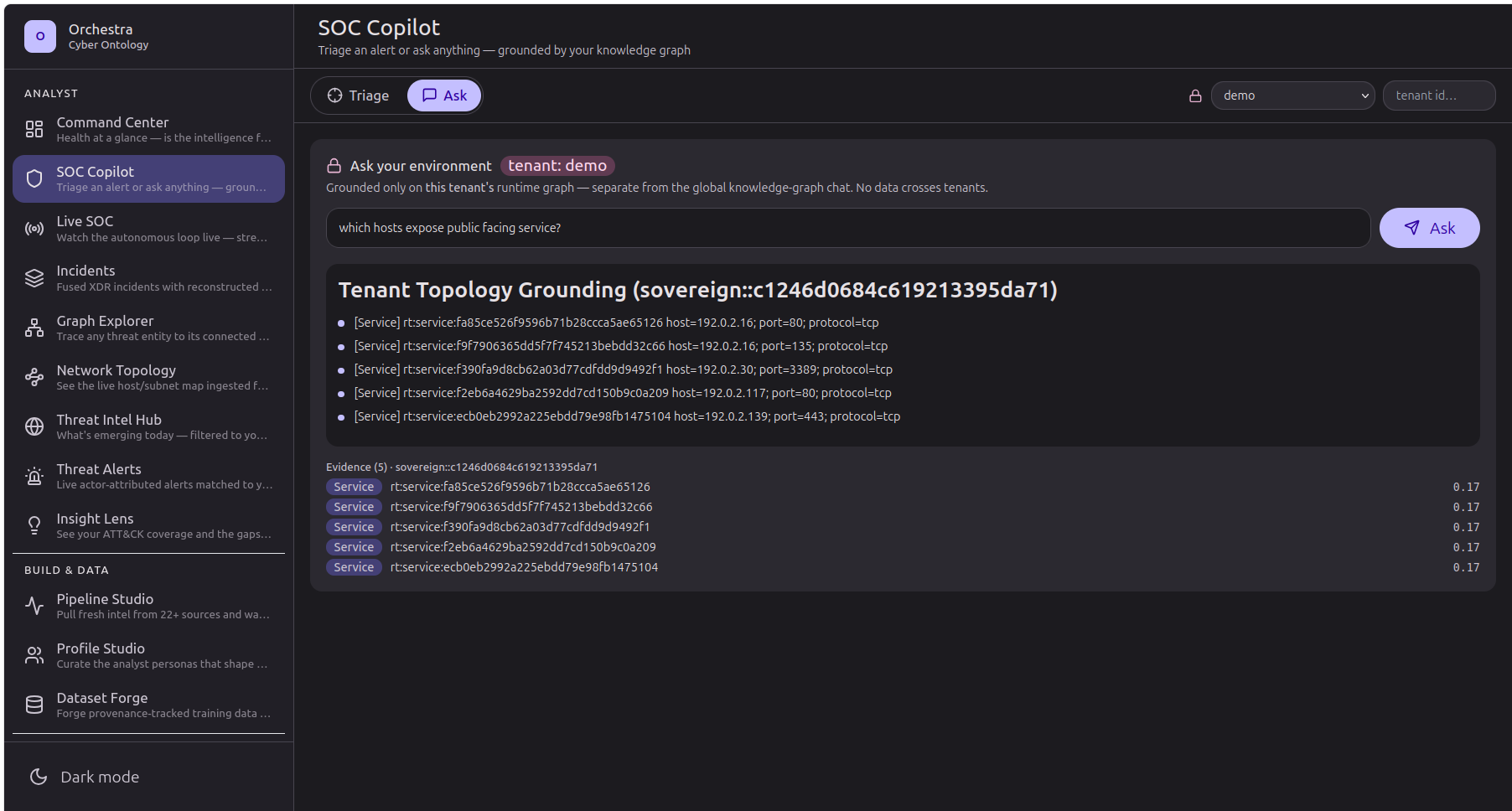
Ask in words. Get back the records the answer came from.
A question about your own estate, answered against your own data, with the source records listed underneath so you can check the answer rather than trust it.
Cross-linked, not just collected.
Vulnerabilities
Detections
Countermeasures
Each of these has a probe behind it.
Runs fully local
Honest coverage
Multi-tenant from day one
Each of these corresponds to a capability probe that must pass before the statement may appear on this page.
What the probes do not cover is worth saying before you find it yourself. OCO tells you what a finding connects to; it does not hand you a ranked remediation plan, and it does not take any action on your systems. Deciding what to fix first, and doing the fixing, both stay with your team. If what you need is something that closes tickets on its own, that is not what this is today.
Want to see it against your own estate?
For most firms the answer is to have us run it — that is the IT and security service, and it starts with an asset review. If you run your own security team and want the graph itself, sandbox access is granted case by case; a person reviews every request, and we will tell you when it is not a fit.
Request access