Adobe Commerce CVE-2026-48356: patched in July, on CISA's exploited list in October
Adobe fixed this flaw on 14 July. Its bulletin said it was not aware of exploits in the wild. On 27 October CISA added it to the list of vulnerabilities that are being exploited. That is a gap of three and a half months in which any store that had not applied the July patch was waiting for something to happen.
This note is for you if you run Adobe Commerce, Commerce B2B or Magento Open Source, or run stores for others. Everything is as of 28 October 2026 and every claim links to its source at the end.
The short version
- CVE-2026-48356 (CWE-434, unrestricted upload of a file with a dangerous type) is one of 14 vulnerabilities fixed in Adobe security bulletin APSB26-73, published 14 July 2026.
- The CVE record says it can result in arbitrary code execution in the context of the current user, with scope changed, and that exploitation needs user interaction: a victim must visit a crafted URL or interact with a compromised page. No authentication is needed by the attacker.
- Two scores exist. Adobe's bulletin lists 9.6 (Critical). The CVE record's vector computes to 9.3. Both are critical.
- Affected: Adobe Commerce 2.4.9, 2.4.8-p5, 2.4.7-p10, 2.4.6-p15, 2.4.5-p17 and 2.4.4-p18 and earlier in each line; Commerce B2B; Magento Open Source; and Commerce Events up to 1.20.0. Fixed in the 2026-jul versions, for example 2.4.9-2026-jul and 2.4.8-2026-jul, and Commerce Events 1.21.0.
- CISA added it to the Known Exploited Vulnerabilities catalog on 27 October, due 10 November. Ransomware use is not recorded.
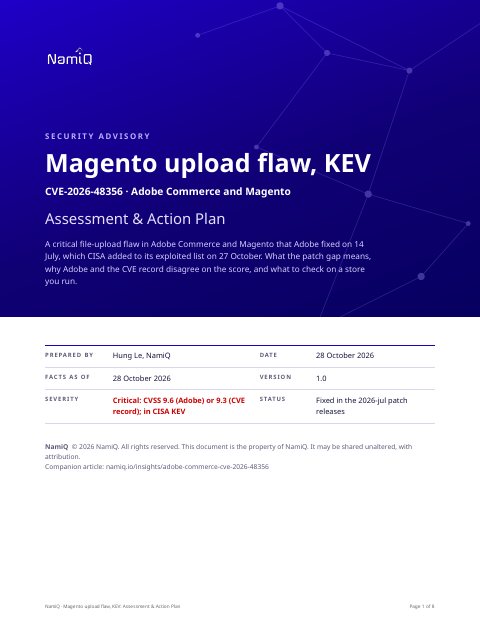 Free PDF · 8 pagesMagento upload flaw, KEV: Assessment & Action PlanThe full version as a PDF for whoever runs a Magento or Adobe Commerce store: the mechanism, why two scores exist, the affected and fixed versions, a dated timeline, exposure by situation, a patch procedure, how to look for uploaded files and new admin users, and a definition of done.Download the PDF →
What the bug is
Stores let people upload files: product images, documents, customer attachments. A well-behaved store checks that what arrives is the kind of file it expected and rejects anything that could run as code. This flaw is a failure of that check: a file of a dangerous type can be uploaded and kept. If the server then treats it as something to execute, or an administrator is tricked into opening it, the attacker's code runs.
The CVE record's detail matters. It says the result is code execution in the context of the current user and that it needs a person to visit a crafted URL or interact with a compromised page. Adobe's bulletin lists the impact as privilege escalation. Those are two views of the same defect: an upload that lets an attacker plant something, and a person acting in a privileged session that makes it matter.
Why there are two scores
The CVE record's vector is AV:N/AC:L/PR:N/UI:R/S:C/C:H/I:H/A:N, which works out to 9.3: network, low complexity, no privileges, user interaction required, scope changed, high confidentiality and integrity impact, no availability impact. Adobe's bulletin lists 9.6. A 0.3 difference is the sign of a different availability or other metric, and we cannot tell which from the sources. It changes nothing about the response.
The patch gap
Adobe's bulletin gave the fix on 14 July and said, as of the last time it was updated on 11 August, that Adobe was not aware of exploits in the wild. The CISA listing is dated 27 October. CISA's catalog is for vulnerabilities it has evidence are being exploited; the entry does not say when exploitation began or how widely. What we can say is that any store still unpatched on 27 October had been unpatched for over three months against a critical flaw.
The rest of APSB26-73
The same bulletin fixes thirteen other issues. Several matter alongside this one: CVE-2026-47988 (incorrect authorization, 8.6, no authentication needed), CVE-2026-47984 (incorrect authorization, 8.2, none needed), and CVE-2026-48358 (improper output encoding leading to code execution, 9.1, applies to webhooks and needs authentication). Patching one without the others is not an option; the fix is the bundle.
Who is exposed
- Any public store on an affected version that does not carry the 2026-jul patch.
- Stores where the patch is applied but the installation sat unpatched for months, which may already have been used. Patching does not remove what is already there.
- Agencies and hosts that run many stores, where one is missed.
Things people will get wrong
- "Adobe said no exploits." That was true on 11 August. It is not a statement about now.
- "It needs a user to click, so it is low risk." A store's administrators and staff click on things in a privileged session every day. The attacker needs no account.
- "We are on 2.4.8, so we are fine." Only 2.4.8-2026-jul and later carry the fix. Plain patch levels such as 2.4.8-p5 and earlier are affected.
- "Patched in July, so clean." If it was exposed before the patch, check it.
How we would triage it
This is our judgement from the sources.
- Patch first, check second. A store is a payment page and a customer database, so the cost of a wrong guess is high.
- Then treat the question "was this store compromised before we patched" as live. The listing means exploitation exists; your stores were exposed for months.
- Look for what an upload flaw leaves: files that should not be there.
Step 1: version and patch level
# From the store root
php bin/magento --version
composer show 'magento/product-community-edition' 2>/dev/null | grep -i versions

# What patches are applied (Adobe's quality patches tool, if installed)
vendor/bin/magento-patches status 2>/dev/null
Compare with the fixed versions in APSB26-73. If you cannot tell your patch level, assume it is not applied.
Step 2: apply the patch
- Update to the 2026-jul release for your line, following Adobe's release notes (KA-37421) for Adobe Commerce, B2B and Magento Open Source, and the upgrade guide for Commerce Events.
- Do it on a staging copy first if your store is heavily customised, but do not let that become a delay of weeks.
Step 3: look for what was left behind
# Executable files in places that should only hold images and documents
find pub/media var -type f \( -name '*.php' -o -name '*.phtml' -o -name '*.phar' -o -name '*.sh' \) -mtime -120 2>/dev/null

# Files changed recently that your deployments do not explain
find . -type f -newermt '2026-07-01' ! -path './var/cache/*' ! -path './generated/*' 2>/dev/null | head -200- Review administrator accounts for any that nobody created, and recent changes to roles.
- Check checkout and payment pages for scripts that are not yours. Compare against a known-good copy.
- Review web server logs for uploads to the store followed by requests to the uploaded path.
If you find something
- Treat the store as compromised. Take it out of service, preserve the evidence and rebuild from a clean source.
- Rotate the secrets the store could read: database, API keys, payment keys, administrator passwords.
- If you take card payments, tell your payment provider or acquirer. A compromised storefront is a payment-data incident, and there are time limits on telling them.
What we do not know yet
- When exploitation began and how widely. The listing does not say.
- Exactly how an upload becomes code execution in the field. The records give the outline, not the chain.
- Why Adobe's score and the CVE record's differ by 0.3.
If you take one thing from this: a critical patch that has been available for months is a deadline you set yourself. The listing is a reminder that the deadline has a date.
Read next
- Daily CVE highlight, 28 October →Where this sits among the day's picks, in the order to act.
- Linux Fragnesia, CVE-2026-46300 →Another local bug that a web flaw turns into root.
- The first 15 seconds →A one-page plan for the moment you suspect a compromise.
- Surviving the enterprise security questionnaire →What you can answer from evidence.