Dell Data Domain DSA-2026-416: four 9.8s that need no login, on the appliance you restore from
A backup appliance is a strange kind of target. It rarely faces the internet, it is rarely watched closely, and it holds the one thing you need after everything else has gone wrong. On 28 October 2026 four critical flaws in Dell PowerProtect Data Domain, each scored 9.8 and each needing no login, appeared in the public CVE feed. This note is for you if you run Data Domain appliances, the Virtual Edition, APEX Protection Storage or Data Domain Management Center, or if you are responsible for the people who do.
Everything is as of 28 October 2026 and every claim links to its source at the end. One fact first, because it changes your timeline: Dell published the advisory on 1 October. The CVE records arrived four weeks later. If you wait for the CVE feed to tell you, you are already a month behind.
The short version
- Advisory: Dell DSA-2026-416, first published 1 October 2026 and revised on 7 and 19 October. It fixes more than forty CVEs in Data Domain, plus third-party components such as OpenSSL, curl, nginx and Apache HTTP Server.
- Four are critical, 9.8, with no authentication needed: CVE-2026-103780 (stack-based buffer overflow, leading to command execution), CVE-2026-86384 (hard-coded cryptographic key, leading to credential exposure), CVE-2026-86397 (improper authentication, leading to privileged account creation) and CVE-2026-86400 (improper authentication, leading to command execution as root).
- Affected: Feature Release 7.7.1.0 through 8.8, LTS2024 7.13.1.0 through 7.13.1.80, LTS2025 8.3.1.0 through 8.3.1.40 and LTS2026 8.6.1.0 through 8.6.1.20.
- Fixed: 8.9.0.0, 7.13.1.90, 8.3.1.50 and 8.6.1.30, or later in each line. Some narrower entries in the advisory use an earlier fixed build, so read the row for the CVE you care about.
- Management Center has its own serious set: missing authorization and SQL injection at 9.6, and an authentication bypass at 9.1, each needing a low-privilege account.
- The advisory lists no workaround in the part we read and makes no statement about exploitation. We have found no report of it.
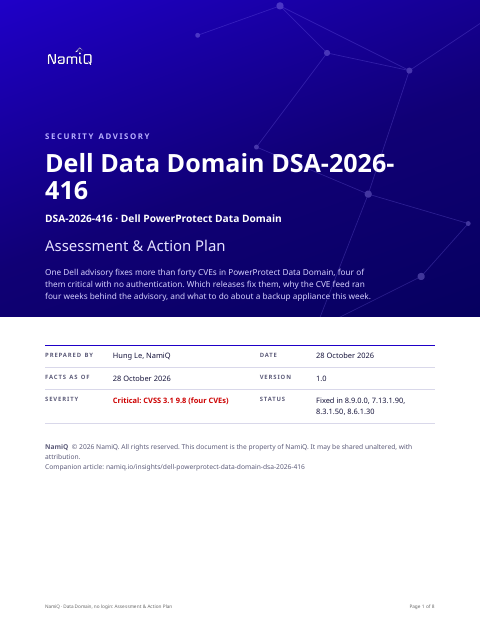 Free PDF · 8 pagesDell Data Domain DSA-2026-416: Assessment & Action PlanThe full version as a PDF for whoever owns your backup estate: the four critical CVEs and the management-centre flaws behind them, severity decoded, the fixed release per line, a dated timeline, exposure by situation, a per-appliance procedure, hunting and a definition of done.Download the PDF →
Why a backup appliance deserves its own treatment
The score does not carry what makes this appliance special. If an attacker can run commands as root on the system that holds your backups, or create a privileged account on it, they can do two things that matter far more than the flaw itself: read the data, and make sure you cannot restore. That second part is our judgement, not Dell's, and it is why we rank this above flaws of the same score on a web server.
Dell's own wording on two of the four is plain. For CVE-2026-86397 and CVE-2026-86400 the CVE records say the flaw is critical because it allows an attacker to take complete control of the system, and that Dell recommends customers upgrade at the earliest opportunity.
The four flaws, in plain terms
- CVE-2026-103780: a buffer overflow on the stack. An unauthenticated attacker with remote access could potentially use it to run commands. Memory-corruption bugs vary in how reliably they can be turned into code execution, and the records give no detail, so treat this as plausible, not proven.
- CVE-2026-86384: a cryptographic key baked into the product. If every appliance shares a key, anyone who obtains it can use it against all of them. Dell's record says the result is credential exposure, and that the credentials may then be used to access the system with the privileges of the compromised user.
- CVE-2026-86397: improper authentication that allows creation of a privileged account. This one leaves something behind: a new account is a persistent foothold that survives a patch unless you look for it.
- CVE-2026-86400: improper authentication that allows arbitrary command execution as root.
Who is exposed
The records describe an attacker with remote access to the appliance and no account on it. So exposure is a question of network reach: which hosts, networks and people can open a connection to the appliance's management and service interfaces. A Data Domain on an isolated backup network that only your backup servers and two administrators can reach is a very different case from one reachable across a flat office or data-centre network, or through a VPN that every employee uses.
Count three things: the appliances you know about, the ones a previous team installed, and the virtual editions someone deployed in a cloud account. Virtual Edition and APEX Protection Storage are in the advisory's scope alongside the hardware.
Things people will get wrong
- "Published today." The CVE records are from 28 October. The Dell advisory is from 1 October, revised 19 October. Search your own change records from October for it before you assume nothing has happened.
- "Only the hardware." The advisory's remediation covers Data Domain systems, Virtual Edition, APEX Protection Storage and Management Center.
- "One fixed number." There are four release lines and each has its own fixed build: 8.9.0.0, 7.13.1.90, 8.3.1.50 and 8.6.1.30. A version that is "newer" than your line's fixed build is not necessarily a fixed one if it is on a different line.
- "The scanner says it is still vulnerable after the upgrade." Dell notes that some security scanners may report false positives after upgrading to remediated versions. Confirm the version on the appliance before you raise an incident.
How we would triage it
This section is our judgement, built from the attacker prerequisites in the records. It is not Dell's rating.
- If an appliance is reachable from a network you do not fully control, treat it as an emergency change. The flaws need no account and the vendor says to upgrade at the earliest opportunity.
- If it is reachable only from backup and admin hosts, upgrade in your next window, but fix the reachability today. Shrinking who can connect is a change you can make in minutes and it removes most of the risk while you wait.
- Treat the new-account flaw as a reason to look backwards as well as forwards. After you patch, list the accounts on the appliance and ask about each one.
- Do not let the patch be the last step. A backup you cannot prove you can restore from, held on a system an attacker could have altered, is a hope, not a backup.
Step 1: find every instance and its exact version
# On each appliance, from its command line (the exact command depends on your DD OS release)
system show version

# From your estate, find hosts that answer on the appliance's management ports
# (use the port list from your own deployment; do not guess)
nmap -Pn -p <management-ports> <backup-subnet>
Record the release line and the full build for each. Include appliances in disaster-recovery sites and in cloud accounts. If you cannot read a version, treat that appliance as affected until you can.
Step 2: shrink who can reach it
- Allow connections to management and service interfaces only from the backup servers and a short list of administrator workstations or a jump host.
- Put the appliance's management interface on a network that user machines cannot route to.
- Remove any rule that exposes it to a whole office, VPN pool or cloud network range.
Step 3: upgrade
- Upgrade to the fixed build for your line: 8.9.0.0, 7.13.1.90, 8.3.1.50 or 8.6.1.30, or later in that line. Follow Dell's upgrade instructions in the KB article.
- Plan the window around backup jobs and replication, and check with Dell support if the appliance is a replication target for another site.
- After the upgrade, read the version from the appliance and record it.
Step 4: look backwards
- List local accounts and roles on each appliance and compare them with your records. An account nobody can explain is the finding.
- Review administrative activity for the last 30 days: logins from hosts that are not on your admin list, configuration changes, changes to retention, replication or deletion settings.
- Check firewall or network logs for connections to the appliance's management interfaces from addresses outside your allow list.
- Copy the appliance's logs to a system an attacker on the appliance cannot alter.
If you cannot upgrade this week
- Fix reachability first (step 2). It is the strongest control you have.
- Make sure a copy of your data exists that the appliance and the accounts that manage it cannot alter or delete, and test a restore from it.
- Watch the management interfaces closely for connections from anywhere unexpected.
What we do not know yet
- Whether anyone has exploited any of these. The advisory and the records are silent, and we found no report.
- Whether public exploit code appears. We have not read any.
- How reliably the buffer overflow can be exploited. The records give no technical detail.
If you take one thing from this: ask where your backups live and who can reach them. A critical flaw in a system that is easy to reach and hard to notice changes is worth more of your week than a critical flaw somewhere else.
Read next
- Daily CVE highlight, 28 October →Where this sits among the day's picks, in the order to act.
- Your AI agent's sandbox is a network service →Another default that shipped with no login.
- The first 15 seconds →A one-page plan for the moment you suspect a compromise.
- The IT check →Where a small estate stands before the next CVE lands.