Apache Kafka Connect CVE-2026-115644: the setting that isolates the admin API left it with no login
The most useful advice in security is to expose less. This bug punishes someone for following it. Kafka Connect lets you serve its admin REST API on its own listener so that it can be kept apart from the main API. Do that, and the authentication you set up for the main API is not applied to the admin one. The thing you did to protect it left it with no login.
This note is for you if you run Kafka Connect. Everything is as of 28 October 2026 and every claim links to its source at the end. Apache has not given the CVE a severity score, and we do not invent one.
The short version
- CVE-2026-115644 is an authentication bypass in the Kafka Connect admin REST API. It applies when admin.listeners is configured with a separate listener from the main listeners property.
- In that setup, REST extensions named in rest.extension.classes, for example BasicAuthSecurityRestExtension, are not registered or applied to the admin resources. The /admin/loggers endpoint accepts unauthenticated read and write requests even though security extensions are active on the main listener.
- Affected: Apache Kafka from 2.4.0 up to but not including 4.2.2, and from 4.3.0 up to but not including 4.3.2. Fixed in 4.2.2, 4.3.2 and 4.4.0.
- Mitigation if you cannot upgrade: remove the admin.listeners setting, or leave it unset. The admin resources then share the regular listener and inherit its extensions.
- Credit: Bartłomiej Dmitruk of Striga, and Mickael Maison.
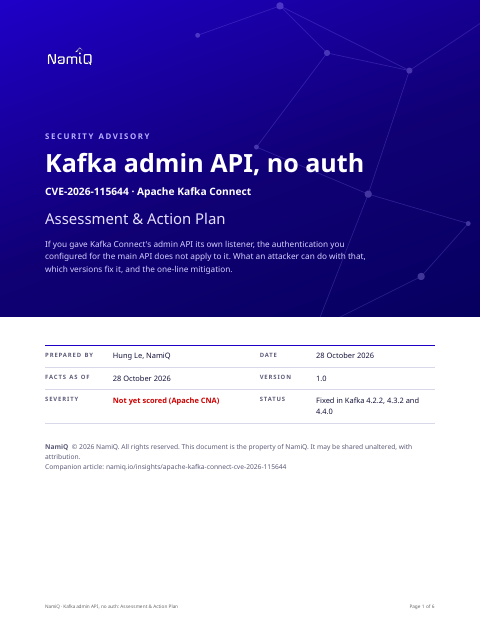 Free PDF · 6 pagesKafka admin API, no auth: Assessment & Action PlanThe full version as a PDF for whoever runs Kafka Connect: the mechanism, why the hardening setting caused it, the affected and fixed versions, exposure by configuration, the one-line mitigation, how to check, hunting and a definition of done.Download the PDF →
What an attacker can do
The admin endpoint in question manages log levels. An attacker with network access to the admin listener can:
- Read the complete list of logger names and levels, which discloses the names of loaded classes and shows which security extensions are in use.
- Change logger levels, including with cluster scope, which propagates the change to every worker in the Connect cluster.
The record says this can be used to suppress logging, by setting the root level to OFF, or to generate excessive output, by setting it to TRACE. The impact it names is on availability and observability. It does not name data access or code execution, and we are not going to.
Why it matters more than "just logging"
Two things make it worth acting on. First, the first thing the read gives an attacker is information: loaded classes, and which security extensions are in play. That is reconnaissance for the next step.
Second, the write lets an attacker turn off your logs across the whole cluster with one request, and Connect workers are often where data moves between systems. A cluster that has stopped logging is a cluster whose later problems you cannot reconstruct. It is the same shape of problem as a logging gap on a hypervisor: the damage is to your ability to find out what happened.
Who is exposed
Only deployments that set admin.listeners. If you never set it, the admin resources share the main listener and inherit its security, and this bug does not apply. If you did set it, your exposure is the set of hosts that can reach the admin port. A common reason to set it is to isolate the admin interface on a separate network or port. If that isolation is real, the exposure is small. If the port is reachable from wherever the main API is, it is not.
Things people will get wrong
- "We have authentication on Connect." On the main listener. The admin listener, if separate, did not inherit it.
- "It is only log levels." Cluster-wide, unauthenticated, and one of the effects is that your logs stop.
- "We use Kafka, so we are affected." Only Kafka Connect, and only if admin.listeners is set.
How we would triage it
This is our judgement. The facts are from the CVE record.
- Check the setting first. It takes a minute per worker and the answer decides everything.
- If it is set, the quick fix is to remove it, with the effect that the admin API moves back to the main listener and its authentication. Decide whether that is acceptable, then upgrade and consider restoring the separation.
- Whatever the answer, confirm the admin port is not reachable from places it does not need to be.
Step 1: is admin.listeners set
# In each Connect worker's configuration
grep -rn 'admin.listeners' /etc/kafka /opt/kafka/config 2>/dev/null

# Which Kafka version does the worker run
kafka-topics.sh --version 2>/dev/null || ls /opt/kafka/libs | grep -E '^kafka_.*\.jar'
Also check how your container or orchestration platform passes configuration, because the setting may come from environment variables or a manifest, not a file.
Step 2: test it from a place you should not be able to reach it from
# From a host that should NOT be able to use the admin API
curl -s -m 5 http://CONNECT-HOST:ADMIN-PORT/admin/loggers | head -c 300
If you get logger names back without presenting credentials, the endpoint is open to that host. Run this only against systems you operate.
Step 3: upgrade or mitigate
- Upgrade to Kafka 4.2.2, 4.3.2 or 4.4.0 or later in your line. From those releases the REST extensions apply to admin.listeners too.
- If you cannot upgrade, remove the admin.listeners setting and restart the workers.
- Restrict the admin port with a network rule so that only operations hosts can reach it.
Step 4: look backwards
- Look for changes to logger levels, particularly cluster-scoped, that no one on your team made, and for gaps in Connect logs.
- Review network logs for connections to the admin port from unexpected hosts.
- If you find a gap or a change you cannot explain, treat it as a sign someone looked around, and review what the connectors can reach.
What we do not know yet
- A severity score. Apache has not published one with the record.
- Whether anyone is exploiting it. The record does not say.
- Whether managed services that run Connect for you are affected, and when they patch.
If you take one thing from this: when you separate an interface to protect it, test that the protection followed it. A control that works on the front door and not on the side door is how most of these start.
Read next
- Daily CVE highlight, 28 October →Where this sits among the day's picks, in the order to act.
- MLflow CVE-2026-116692 →An AI platform where no login is the default.
- VMware ESX CVE-2026-41709 →The other note this week about losing the logs.
- The first 15 seconds →A one-page plan for the moment you suspect a compromise.