Jenkins advisory 2026-10-28: fifteen fixes, and read-only access is not harmless
Jenkins runs your builds, holds your secrets and signs your releases. When it publishes an advisory with fifteen issues in one release, the headline item is rarely the one that matters most to you. On 28 October the Jenkins project published its advisory for weekly 2.588 and LTS 2.580.2, and the headline in the feeds is a race in the setup wizard. The more interesting group is further down: flaws that need only Overall/Read.
This note is for you if you run Jenkins. Everything is as of 28 October 2026 and every claim links to its source at the end.
The short version
- Affected: Jenkins weekly up to and including 2.587, and LTS up to and including 2.580.1. Fixed in weekly 2.588 and LTS 2.580.2.
- Fifteen issues: thirteen rated High and two Medium by the Jenkins project. NVD has not scored them.
- CVE-2026-117618 (SECURITY-4122): a race condition in the setup wizard lets an unauthenticated attacker create an administrator account while the initial account is being replaced. Complexity is High and it only exists while an instance is in initial setup.
- CVE-2026-117616 (SECURITY-4188): a path traversal in agent names that lets someone with Overall/Read load any config.xml as an agent and overwrite files, potentially leading to code execution.
- CVE-2026-117612 (SECURITY-4125): a gap in the XStream filter that allows instantiation of arbitrary types, potentially leading to remote code execution. It needs Overall/Read plus a user account or permission to post config.xml.
- Mitigations the advisory states exist only for some items. For the rest, upgrading is the fix.
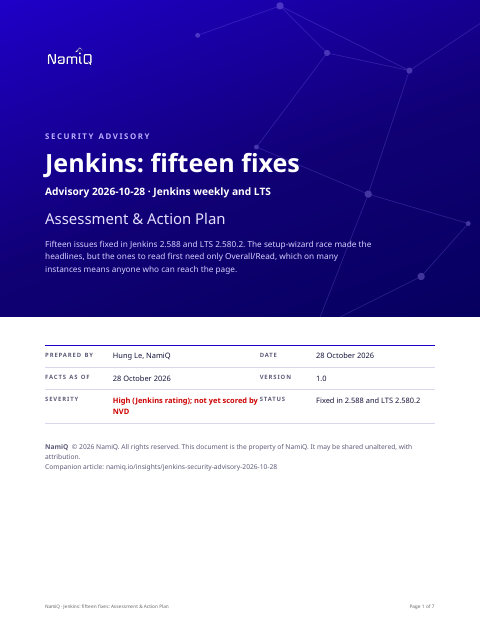 Free PDF · 7 pagesJenkins: fifteen fixes: Assessment & Action PlanThe full version as a PDF for whoever owns your CI: all fifteen issues with the permission each needs, the fixed versions, exposure by setup, a procedure for finding who holds Overall/Read, hunting and a definition of done.Download the PDF →
The fifteen, grouped by what an attacker needs
The advisory is clearer when you sort it by the permission required, because that is the part you control.
- No account: CVE-2026-117618, the setup-wizard race.
- Overall/Read only: CVE-2026-117616 (agent-name path traversal), CVE-2026-117623 (stored cross-site scripting in breadcrumb tooltips), CVE-2026-117625 (the HTTP proxy server, port, user name and no-proxy list are visible) and CVE-2026-117626 (a path traversal in the file browser that reveals file names and sizes in the Jenkins home).
- Overall/Read plus more: CVE-2026-117612 (XStream, plus the ability to post config.xml) and CVE-2026-117620 (the old-data monitor, which needs an administrator to act on the warning).
- Item permissions: Item/Configure for the artifact-extraction race (CVE-2026-117617), the stored cross-site scripting through element types (CVE-2026-117613) and the symlink issue (CVE-2026-117615, with Item/Create).
- Agent permissions: Agent/Configure for the approval bypass for legacy launch commands (CVE-2026-117614).
- Control of an agent process: two cross-site scripting issues (CVE-2026-117621 and CVE-2026-117622).
- A user's API token: an insufficient-session-expiration issue (CVE-2026-117619) where a remember-me cookie survives token revocation.
- Anyone who can submit configuration XML: CVE-2026-117624, which the advisory says is limited to creating user records with a name and display name, not loginable accounts.
Why Overall/Read matters
In the Jenkins permission model, Overall/Read is the lowest useful permission: it lets you see that Jenkins exists and browse it. Many teams grant it broadly because dashboards are useful, and some allow it to anonymous users so that a build status can be seen without logging in. The advisory's list makes the cost of that choice concrete. With read access alone, an attacker can reach a path traversal that overwrites files and may lead to code execution, and can read configuration details that help the next step.
So the question for your instance is not whether you have privileged users. It is who, and what, can reach the login page and what they can see once there.
Things people will get wrong
- "The setup wizard race is the headline, so we are fine." It matters only while an instance is still in initial setup. A controller that was never finished, or a new one stood up for a test, is the case.
- "These need accounts, so they are low risk." Several need only Overall/Read, which may be anonymous.
- "Content Security Policy fixes it." The advisory says enforcing CSP on weekly 2.539 or LTS 2.541.1 and later mitigates three of the cross-site scripting issues (CVE-2026-117613, 117623 and 117621). It does not mitigate the rest.
How we would triage it
This is our judgement from the permissions in the advisory.
- Upgrade. All fifteen are fixed in one release, and the fix for a CI server is rarely the thing that breaks a team. Do it this week.
- While you do, find out who holds Overall/Read, and whether anonymous read is on. Turning anonymous read off removes the largest group of potential attackers for several of the issues at no cost to the vendor fix.
- Treat the controller's file system as sensitive. Several issues write or read files outside what a job should touch.
Step 1: version and state
- Read the version from each controller's own footer or the about page, and note whether it is weekly or LTS.
- Find any controller still showing the initial setup wizard.
Step 2: who can read
In the security settings, review the authorisation strategy. Check whether the anonymous user has Overall/Read, and list who holds Item/Configure, Agent/Configure and Item/Create. Remove what nobody can justify.
Step 3: upgrade
- Move weekly installs to 2.588 or later and LTS installs to 2.580.2 or later.
- Plugins are updated separately. Update them in the same window.
- If the XStream type permission system breaks something you rely on, the advisory describes a system property for administrators. Treat it as temporary.
Step 4: look backwards
- Review the user list for accounts you did not create, especially administrators.
- Review recent agent and item configuration changes, and agents that load from unexpected names.
- Look for files changed in the controller's home directory that no build explains.
- If anything looks wrong, rotate the credentials stored in Jenkins. They are what an attacker with controller access wants.
If you cannot upgrade this week
- Turn off anonymous read, and put the controller behind a login or network boundary you control.
- Enforce Content Security Policy where the version supports it.
- Finish or remove any controller that is in initial setup.
What we do not know yet
- Whether any of the fifteen is being exploited. The advisory does not say, and we have read no exploit code.
- NVD's scores. They were not available when we read the records.
- Which plugins repeat the same patterns. Plugin advisories are separate.
If you take one thing from this: read access is a permission, and a permission is a promise about what someone can reach. List who holds it.
Read next
- Daily CVE highlight, 28 October →Where this sits among the day's picks, in the order to act.
- jackson-databind CVE-2026-110879 →The fix you applied in June did not close it.
- A new CVE, an agent, and four questions →What to ask an AI agent about a CVE, and how to read the answer without being misled by it.
- The AI SDLC Playbook →Gates that hold quality as a codebase grows.