POSIMYTH Nexter Blocks Pro, CVE-2026-125294: a new CVE scored 9.8
The bottom line
Any WordPress site running Nexter Blocks Pro version 5.0.10 or below is exposed to unauthenticated administrator account creation; the record scores this 9.8. The vendor's materials name no fixed version; deactivate the plugin now and check for unexpected administrator accounts.
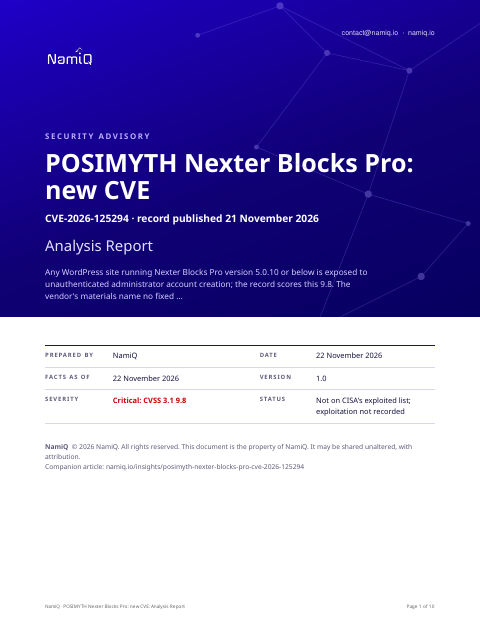 Free analysis report · 10 pagesPOSIMYTH Nexter Blocks Pro, CVE-2026-125294: a new CVE scored 9.8The same note as a document you can keep or forward: what the sources say, who is affected, and what to do first.Download the analysis report →
At a glance
| Fact | Detail |
|---|---|
| Product | POSIMYTH Nexter Blocks Pro (CVE-2026-125294) |
| Severity | Critical: 9.8 (CVSS 3.1) |
| Status | A new CVE record, published by Wordfence on 21 November 2026. Not on CISA's list of exploited vulnerabilities when we read it on 22 November 2026, which means nothing public says yet that anyone is using it. |
| Fixed in | No source we read names a fixed version |
| Who looks first | Operators of any WordPress site with Nexter Blocks Pro installed at version 5.0.10 or below, especially where the site is publicly accessible. |
Does this apply to you?
| Question | If no | If yes |
|---|---|---|
| Is the Nexter Blocks Pro plugin installed on any WordPress site you operate? | Nothing to do for this CVE. | Check the installed version (next question). |
| Is the installed version 5.0.10 or below? | The record does not list versions above 5.0.10 as affected. | The site is exposed; see steps below. |
| Is the WordPress site reachable by people outside your organisation? | Exposure is lower, but deactivate the plugin until a patch is named. | Treat as actively exposed; deactivate the plugin immediately. |
What it is
According to the record, an unauthenticated attacker can call the plugin's registration endpoint, supply Unicode look-alike characters that bypass its byte-level filter, and register a new WordPress account with the full Administrator role, giving them complete control of the site.
Why it matters
The attack needs no account: anyone who can reach the site can call the plugin's AJAX registration endpoint. The record scores it 9.8, which CVSS produces when an attack is unauthenticated, low in complexity, and delivers administrator access over the network. Administrator access on WordPress bypasses every other access control the site has. Our reading is that the Unicode collation bypass described in the record is straightforward once published, raising the chance of exploitation before a patch appears. No fixed version is named in the record or the vendor's materials retrieved.
Exposure by situation
These priorities are our judgement from what the sources say about who can use the flaw and how. They are not vendor ratings.
| Your situation | Priority | Timeframe |
|---|---|---|
| Nexter Blocks Pro ≤ 5.0.10 installed on a publicly accessible WordPress site | High | Act now; deactivate the plugin |
| Nexter Blocks Pro installed, version not yet confirmed | High | Determine the version today |
| Nexter Blocks Pro ≤ 5.0.10 installed, site not publicly accessible | Medium | This week |
| Nexter Blocks Pro not installed on any site you operate | None | Nothing to do for this CVE |
Things people will get wrong
- Disabling WordPress user registration will block the attack The flaw is in a plugin AJAX endpoint. The record does not say that WordPress's own registration setting controls access to it; disabling it may not block a direct call to the endpoint.
- A score of 9.8 means this is already being actively exploited The record is new and was not on any exploited list when read. The score reflects the ease and severity of exploitation if attempted, not observed attacks.
- Any version above 5.0.10 is safe to run No fixed version is named in the record or the vendor's materials retrieved. Do not assume a later version is safe until the vendor confirms one as patched.
How we would triage it
This is our judgement.
Step 1: Find the plugin version on each WordPress site
- Check wp-admin → Plugins for Nexter Blocks Pro and note the version shown; versions 5.0.10 and below are in the affected range per the record.
- If you have shell access, WP-CLI can list the plugin version across all sites without opening the dashboard.
Step 2: Deactivate the plugin while no patch is named
- In wp-admin → Plugins, deactivate Nexter Blocks Pro on any affected site until the vendor names a fixed version.
- The record names no workaround; deactivation is the only confirmed way to close the attack surface.
Step 3: Check for unexpected administrator accounts
- In wp-admin → Users, filter by the Administrator role and look for accounts you do not recognise, particularly any created recently.
- If the site was publicly accessible while the plugin was active, treat any unfamiliar administrator account as suspicious and investigate before removing it.
Step 4: Apply a vendor patch when one is named
- Watch the vendor's plugin update channel for a version confirmed to address CVE-2026-125294.
- The record names no fixed version; do not assume any currently available release is safe until the vendor confirms it.
To close it, read the version from the product itself, not from an old inventory, and save the output with the date. If you cannot update today, write down who owns it, the new date, and what limits exposure until then.
Send this to your IT provider
Copy it, change the names and dates, and send it. It is a draft for you to check, not a template tested with any provider.
We are following up on CVE-2026-125294, a critical flaw scored 9.8 out of 10, in the POSIMYTH Nexter Blocks Pro WordPress plugin. All versions up to and including 5.0.10 are affected. The flaw allows anyone without an account to register as a full site administrator. No fixed version has been named in the record at the time of writing. Could you please confirm whether this plugin is installed on any site we operate, which version is running, whether it has been deactivated, and whether any unexpected administrator accounts were found. Please reply in writing with the version confirmed and the action taken.
The weakness behind it
The record classes this as CWE-269.
Likely ATT&CK mapping
MITRE ATT&CK is a public catalogue of the steps attackers take, from getting in to causing damage. No source has mapped this flaw to it yet, so the steps below are our prediction from what the record says the flaw allows. They are not MITRE's, the vendor's or CISA's, and an attacker may do other things.
| The step, in plain words | Stage of an attack | Why we think so |
|---|---|---|
| Exploit Public-Facing Application (T1190): Breaking in through a service that faces the internet, such as a web server, VPN or login page. | Initial Access: getting in | The flaw is in a WordPress plugin AJAX endpoint reachable without authentication; an attacker would likely call it directly over the web as the initial access step. |
| Create Account (T1136): Creating a new account so the attacker can come back later. | Persistence: staying in | The exploit would likely involve registering a new WordPress user account; account creation is how an attacker would establish persistent access on the site. |
| Account Manipulation (T1098): Changing an existing account, for example adding permissions or keys, to keep access. | Persistence: staying in | The attack would likely overwrite the new account's role metadata to grant administrator status; manipulating account attributes to elevate privilege is consistent with the description. |
How to use this: ask your IT provider which control or log would show each step, for example whether sign-in attempts from the internet are recorded. If nobody can answer, that is the gap to close first.
MITRE ATT&CK® is a registered trademark of The MITRE Corporation. Technique names are MITRE's.
The sources, in their words
The CVE record:
The Nexter Blocks Pro plugin for WordPress is vulnerable to Privilege Escalation in all versions up to, and including, 5.0.10 via the `tpgb_ajax_register_user()` function. This is due to a byte-level denylist on the `tpgb_acf_key[]` and `tpgb_acf[]` parameters that fails to block Unicode look-alike characters — such as U+1E87 and U+00E7 in a key like `ẇp_çapabilities` — whose UTF-8 byte sequences do not match any ASCII-based pattern check, while the database's default accent-insensitive collation (`utf8mb4_unicode_ci` / `utf8mb4_0900_ai_ci`) treats the decorated key as equivalent to the canonical `wp_capabilities` row, causing `update_user_meta()` to overwrite the newly registered user's …
Versions of POSIMYTH Nexter Blocks Pro the record lists as affected:
- all versions up to and including 5.0.10
The record gives no version ranges. Use the vendor's advisory for the affected versions.
Check your own project
If you build software, you can compare what a project declares with this CVE from a terminal. The tool reads requirements files, package.json, Maven, Gradle, Cargo, CMake and Dockerfile files, runs nothing, and only the CVE id leaves your machine. Naming the CVEs needs no key.
lattice-scan project . --cve CVE-2026-125294Each row says in-range, outside-range, undetermined or lead, with the file and line. That is evidence about what a manifest declares, not about what runs, and a person decides. The verdicts, the CSV columns and a pipeline recipe are in the guide.
Check the servers you run
The same id can be checked against a host. Run this on the machine itself, not on the laptop that deploys to it: it reads installed packages (dpkg, rpm or apk), snaps, the hardware (maker, model, firmware), the running container images with their operating system and packages, and the kernel version, compares them on the spot, and only the CVE ids leave the machine; the inventory stays on it, in ~/.lattice-scan. Naming the CVEs needs no key. Do it on each server after a deployment, and again when a new entry lands.
lattice-scan --cve CVE-2026-125294A match is a candidate for a person to confirm, not a finding. A distribution can fix a CVE under an unchanged version number, so a match is a candidate; on Debian-family hosts the report also shows whether the package's own changelog names the CVE. By default it opens the images your containers are running and reads their operating system and package list; a deep scan (--deep, a few minutes) opens every local image and the Python, Node, Java and Ruby packages inside them; for what an image declares, use the project check on its Dockerfile.
Guide: namiq.io/lattice/guides/choose-your-channel. MCP server (io.namiq/lattice in the MCP registry): namiq.io/lattice. Package: pypi.org/project/lattice-scan, or namiq.io/apt.
- Which way into Lattice fits your job →The command line, the Claude skill or the MCP server: what each needs, what works without a key and how to read the result.
- Lattice, the MCP server →The public graph the command reads, for AI agents over MCP.
- Install and connect →The signed apt repository, the fingerprint, and the connection commands for each client.
What we do not know yet
- Whether the vendor has released or plans to release a patched version, and when.
- Whether WordPress's native user registration setting affects whether the plugin's AJAX endpoint is reachable by an unauthenticated user.
- Whether the free (non-Pro) version of the Nexter Blocks plugin contains the same vulnerable function.
- Exploitation is not recorded. That is not the same as none.
- This is a new record: scores, versions and wording can change in the first days, and they are as at 22 November 2026. We read the vendor pages listed under Sources; nothing here has been tested.
- The sections headed "The bottom line", "Does this apply to you?", "What it is", "Why it matters", "Exposure by situation", "Things people will get wrong", "Likely ATT&CK mapping", "How we would triage it" and "Send this to your IT provider" are our interpretation of the sources, not a statement by CISA or the vendor.