Qihoo 360 D603-2, CVE-2026-121607: a new CVE scored 10
The bottom line
Owners of Qihoo 360 D603-2, D600-2, D606-6, D706 or D618_A cameras on firmware up to 6.4.9 must act now: no patch exists and a working exploit is public. Isolate the camera from any network segment an untrusted device can reach.
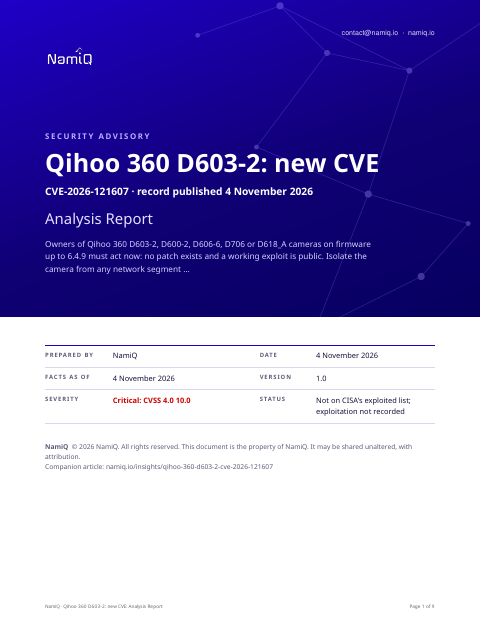 Free analysis report · 9 pagesQihoo 360 D603-2, CVE-2026-121607: a new CVE scored 10The same note as a document you can keep or forward: what the sources say, who is affected, and what to do first.Download the analysis report →
At a glance
| Fact | Detail |
|---|---|
| Product | Qihoo 360 D603-2 (CVE-2026-121607) |
| Severity | Critical: 10 (CVSS 4.0) |
| Status | A new CVE record, published by VulDB on 4 November 2026. Not on CISA's list of exploited vulnerabilities when we read it on 4 November 2026, which means nothing public says yet that anyone is using it. |
| Fixed in | None. The researcher's notes state that firmware 6.4.9 — the most recent version tested — carries byte-identical vulnerable code to earlier releases. |
| Who looks first | Anyone running a Qihoo 360 D603-2, D600-2, D606-6, D706 or D618_A smart camera. The researcher's notes cover firmware 6.3.0 through 6.4.9; the record additionally names 6.4.0 through 6.4.3 specifically. |
Does this apply to you?
| Question | If no | If yes |
|---|---|---|
| Do you run a Qihoo 360 D603-2, D600-2, D606-6, D706 or D618_A camera? | Nothing to do for this CVE. | Check the firmware version. |
| Is the firmware version between 6.3.0 and 6.4.9 inclusive? | Not listed in affected ranges; nothing to do for this CVE. | Check whether untrusted devices can send network messages to the camera. |
| Can untrusted devices on your network reach the camera's management interface? | Lower priority, but no patch exists; plan to isolate or replace the device. | Isolate the camera from untrusted network access immediately. |
What it is
An attacker who can send a crafted speed-test push message to the camera can inject shell commands through an unvalidated host field. The camera's management process runs as root, so the injected command executes with full control over the device.
Exposure by situation
These priorities are our judgement from what the sources say about who can use the flaw and how. They are not vendor ratings.
| Your situation | Priority | Timeframe |
|---|---|---|
| Camera on firmware 6.3.0–6.4.9, reachable from the internet or from outside a trusted network segment | Medium | Immediately |
| Camera on firmware 6.3.0–6.4.9, on a segmented LAN but accessible to some untrusted devices | Medium | Immediately |
| Camera on firmware 6.3.0–6.4.9, on a fully trusted LAN with no untrusted device access | Medium | This week |
| Camera on firmware 6.3.0–6.4.9, fully isolated from all network access | Low | Next patch cycle |
| Camera on a firmware version not listed in the affected ranges | None | None for this CVE |
Things people will get wrong
- Upgrading to 6.4.9 fixes the problem. The researcher's notes state that firmware 6.4.9 contains byte-identical vulnerable code to earlier versions. No fixed version has been released.
- The high complexity CVSS score means this is difficult to exploit in practice. The record states the exploit has been made public. A published exploit reduces the skill needed; the complexity condition describes crafting the specific message format, not bypassing authentication.
How we would triage it
This is our judgement.
The commands only read: they print a version or list what is installed. They come from general knowledge of this kind of product, not from the sources, so check them against the vendor's page before you run them. Words in capitals are for you to fill in.
Step 1: Find which cameras you run and check their firmware
- Locate any Qihoo 360 D603-2, D600-2, D606-6, D706 or D618_A cameras on your estate.
- Check the firmware version on each; the researcher's notes say versions 6.3.0 through 6.4.9 are affected, and 6.4.9 contains the same vulnerable code.
cat /etc/version
cat /proc/version
Step 2: Check network exposure for each affected camera
- Determine whether the camera is reachable from outside a fully trusted network segment.
- Review firewall and VLAN rules to confirm whether any untrusted device can reach the camera's management interface.
Step 3: Isolate any camera reachable by untrusted devices
- Move the camera to a VLAN that only trusted devices can reach, or disconnect it from the network until a fix is available.
- No patch exists: the researcher confirmed 6.4.9 carries the same flaw, so a firmware upgrade will not resolve this.
Step 4: Monitor the vendor for a patched firmware release
- No fix had been released as of the researcher's disclosure. Monitor the vendor's SRC platform and firmware release pages for a patched version.
- When a patch is announced, verify the released version number against the researcher's finding before applying it.
To close it, read the version from the product itself, not from an old inventory, and save the output with the date. If you cannot update today, write down who owns it, the new date, and what limits exposure until then.
Send this to your IT provider
Copy it, change the names and dates, and send it. It is a draft for you to check, not a template tested with any provider.
We have been reviewing CVE-2026-121607, which affects Qihoo 360 smart cameras including the D603-2, D600-2, D606-6, D706 and D618_A models running firmware 6.3.0 through 6.4.9. An attacker who can send a network message to an affected camera can run commands as root. No patched firmware version currently exists, and a working exploit is publicly available. Please confirm whether we run any of these cameras, which firmware versions they are on, and whether they are reachable from outside a fully trusted network segment. If any are affected, please confirm in writing what isolation or replacement action is planned, and by when. Please respond by 11 November 2026.
The weakness behind it
The record classes this as CWE-78 and CWE-77.
- CWE-78 →What this kind of mistake is, and which exploited vulnerabilities share it.
- CWE-77 →What this kind of mistake is, and which exploited vulnerabilities share it.
The sources, in their words
The CVE record:
A vulnerability was found in Qihoo 360 D603-2, D600-2, D606-6 and D706 up to 6.4.9. This affects the function testspeed_command of the file /fs2/bin/iscm. Performing a manipulation of the argument host results in os command injection. The attack may be initiated remotely. The exploit has been made public and could be used. The vendor was contacted early about this disclosure but did not respond in any way.
Versions of Qihoo 360 D603-2 the record lists as affected:
- 6.4.0
- 6.4.1
- 6.4.2
- 6.4.3
Check your own project
If you build software, you can compare what a project declares with this CVE from a terminal. The tool reads requirements files, package.json, Maven, Gradle, Cargo, CMake and Dockerfile files, runs nothing, and only the CVE id leaves your machine. Naming the CVEs needs no key.
lattice-scan project . --cve CVE-2026-121607Each row says in-range, outside-range, undetermined or lead, with the file and line. That is evidence about what a manifest declares, not about what runs, and a person decides. The verdicts, the CSV columns and a pipeline recipe are in the guide.
Check the servers you run
The same id can be checked against a host. Run this on the machine itself, not on the laptop that deploys to it: it reads installed packages (dpkg, rpm or apk), snaps, the names of running container images and the kernel version, compares them on the spot, and only the CVE ids leave the machine; the inventory stays on it, in ~/.lattice-scan. Naming the CVEs needs no key. Do it on each server after a deployment, and again when a new entry lands.
lattice-scan --cve CVE-2026-121607A match is a candidate for a person to confirm, not a finding. A distribution can fix a CVE under an unchanged version number, so a match is a candidate; on Debian-family hosts the report also shows whether the package's own changelog names the CVE. It reads the names of the running images, not what is inside them; for what an image declares, use the project check on its Dockerfile.
Guide: namiq.io/lattice/guides/choose-your-channel. MCP server (io.namiq/lattice in the MCP registry): namiq.io/lattice. Package: pypi.org/project/lattice-scan, or namiq.io/apt.
- Which way into Lattice fits your job →The command line, the Claude skill or the MCP server: what each needs, what works without a key and how to read the result.
- Lattice, the MCP server →The public graph the command reads, for AI agents over MCP.
- Install and connect →The signed apt repository, the fingerprint, and the connection commands for each client.
What we do not know yet
- Whether the vendor plans to release a patched firmware version and on what timeline.
- Whether the attack can succeed with a single crafted message or requires a sustained network position.
- Whether firmware versions below 6.3.0 are also affected or were simply outside the researcher's tested range.
- Whether the D618_A (ARM/ARMv5TE) model is confirmed in the CVE record or only in the researcher's separate testing notes.
- Exploitation is not recorded. That is not the same as none.
- This is a new record: scores, versions and wording can change in the first days, and they are as at 4 November 2026. We read the vendor pages listed under Sources; nothing here has been tested.
- The sections headed "The bottom line", "Does this apply to you?", "What it is", "Exposure by situation", "Things people will get wrong", "How we would triage it" and "Send this to your IT provider" are our interpretation of the sources, not a statement by CISA or the vendor.