Qihoo 360 Whole Home Router M5, CVE-2026-121609: a new CVE scored 10
The bottom line
Anyone responsible for a 360 Whole Home Router M5 or M50 on firmware 4.0.17.1566 must act now: no patch exists and the exploit is publicly available. Check whether each device has completed initial setup; if it has not, isolate it from the local network immediately.
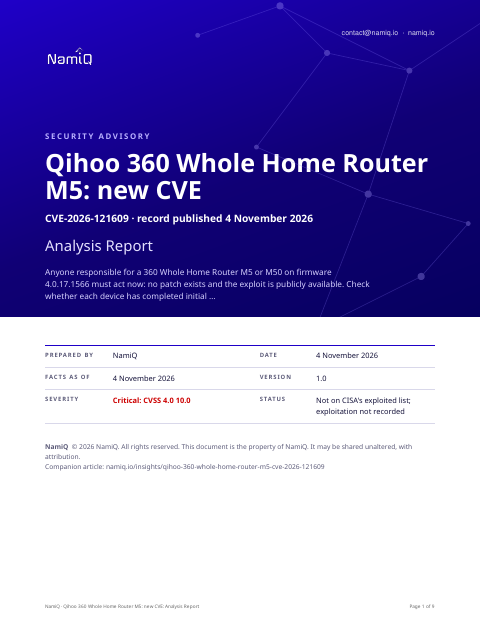 Free analysis report · 9 pagesQihoo 360 Whole Home Router M5, CVE-2026-121609: a new CVE scored 10The same note as a document you can keep or forward: what the sources say, who is affected, and what to do first.Download the analysis report →
At a glance
| Fact | Detail |
|---|---|
| Product | Qihoo 360 Whole Home Router M5 (CVE-2026-121609) |
| Severity | Critical: 10 (CVSS 4.0) |
| Status | A new CVE record, published by VulDB on 4 November 2026. Not on CISA's list of exploited vulnerabilities when we read it on 4 November 2026, which means nothing public says yet that anyone is using it. |
| Fixed in | No source we read names a fixed version |
| Who looks first | IT providers and owners responsible for a 360 Whole Home Router M5 or M50 on firmware 4.0.17.1566, particularly any unit recently deployed, reset to factory defaults, or not yet fully configured. |
Does this apply to you?
| Question | If no | If yes |
|---|---|---|
| Do you run a 360 Whole Home Router M5 or M50? | Nothing to do for this CVE. | Check whether it is on firmware 4.0.17.1566. |
| Is the firmware version 4.0.17.1566? | The record names only this version; monitor for further findings. | Check whether the device has completed initial setup. |
| Has the router completed its initial setup? (mptdone flag set and non-zero) | Telnet is running as root with a fixed password; isolate the device from the LAN now. | The boot script does not start telnet on the next boot; seek a patch when one is available. |
| Can other devices on your LAN reach the router on port 23 (telnet)? | Exposure is contained; patch or replace the device when a fix is available. | Treat this as a high-priority incident and isolate the router immediately. |
What it is
The router's boot script runs at every startup and, if initial setup is not yet complete, forces the root password to a fixed value and opens a telnet service on port 23. Any other device on the same local network can then log in as root without any prior credentials, gaining full control of the router.
Why it matters
The boot script runs automatically on every restart with no user action required, so a factory-state device is exposed from the moment it is powered on. The researcher's note states the exploit was reproduced end-to-end and is publicly available. The same source reports that the M50 on this firmware version carries an identical component, confirmed by MD5 match. Our reading is that any uninitialized unit on a shared LAN is an open root shell to every other device on that network. The vendor received notification on 25 September 2026 and did not respond; no patch has been issued.
Exposure by situation
These priorities are our judgement from what the sources say about who can use the flaw and how. They are not vendor ratings.
| Your situation | Priority | Timeframe |
|---|---|---|
| M5 or M50 on firmware 4.0.17.1566 in factory or uninitialized state, on a shared LAN | High | Immediately |
| M5 or M50 on firmware 4.0.17.1566 recently reset to factory defaults, returned to uninitialized state | High | Immediately |
| M5 or M50 on firmware 4.0.17.1566, initial setup completed, awaiting vendor patch | Medium | Next patch cycle; replace if vendor does not respond |
| 360 M5 on a firmware version not named in the record | Low | Monitor for further advisories |
| M5 reachable from the WAN side only — the source states WAN input is set to reject | None | No action needed for this CVE |
Things people will get wrong
- If setup is complete, the device is safe. The firmware still contains the hardcoded credentials and no patch exists. A factory reset returns the device to the vulnerable state. Setup completion stops telnet from starting on the next boot but does not remove the underlying code.
- Only the M5 model is affected. The researcher's note states the M50 on the same firmware version carries an identical component, confirmed by MD5 match. The M5 record names 4.0.17.1566; the M50 finding is from the same source.
- The router is exposed from the internet. The source states the WAN zone is configured to reject input. The exposure is to devices on the local network only, not from the public internet.
How we would triage it
This is our judgement.
The commands only read: they print a version or list what is installed. They come from general knowledge of this kind of product, not from the sources, so check them against the vendor's page before you run them. Words in capitals are for you to fill in.
Step 1: Find the firmware version on each 360 M5 or M50
- Log in to the router admin interface and locate the firmware or software version; the record identifies 4.0.17.1566 as affected.
- If you have shell access to the device, check whether a telnet daemon is listed in the running process table.
ps | grep telnetdStep 2: Check whether initial setup has been completed
- The source shows the boot script reads the mptdone hardware flag; if the flag is empty or zero, telnet is running and the root password is set to the fixed value.
- From another device on the same LAN, test whether port 23 on the router accepts a connection; if it does, treat the device as actively exposed.
Step 3: Isolate the device if it is in factory state
- Move the router off the main LAN segment or block port 23 at an upstream firewall until a firmware patch is available.
- Complete the router's initial setup wizard if it has not been done; this sets the mptdone flag and prevents the boot script from starting telnet on subsequent reboots.
Step 4: Seek patched firmware from the vendor
- No patched firmware has been named in any source as of 4 November 2026. The vendor was notified on 25 September 2026 and did not respond, according to the record.
- Contact Qihoo 360 support to request a fix; if no patch is forthcoming, consider replacing the device.
To close it, read the version from the product itself, not from an old inventory, and save the output with the date. If you cannot update today, write down who owns it, the new date, and what limits exposure until then.
Send this to your IT provider
Copy it, change the names and dates, and send it. It is a draft for you to check, not a template tested with any provider.
We are writing about CVE-2026-121609, which affects the 360 Whole Home Router M5 and M50 on firmware 4.0.17.1566. The flaw allows any device on the local network to log in to the router as root with no credentials if the router is in an uninitialized or factory state. No patched firmware has been published and the exploit is publicly available. Please advise: (1) whether any of these devices are in our estate; (2) which firmware version they are running; (3) whether any are in factory state or were recently reset. Please confirm in writing the firmware version installed and what action has been or will be taken.
The weakness behind it
The record classes this as CWE-798 and CWE-259.
The sources, in their words
The CVE record:
A vulnerability was identified in Qihoo 360 Whole Home Router M5 4.0.17.1566. This issue affects the function Home of the file /etc/init.d/mpt of the component Boot Script. The manipulation leads to hard-coded credentials. Remote exploitation of the attack is possible. The exploit is publicly available and might be used. The vendor was contacted early about this disclosure but did not respond in any way.
Versions of Qihoo 360 Whole Home Router M5 the record lists as affected:
- 4.0.17.1566
Check your own project
If you build software, you can compare what a project declares with this CVE from a terminal. The tool reads requirements files, package.json, Maven, Gradle, Cargo, CMake and Dockerfile files, runs nothing, and only the CVE id leaves your machine. Naming the CVEs needs no key.
lattice-scan project . --cve CVE-2026-121609Each row says in-range, outside-range, undetermined or lead, with the file and line. That is evidence about what a manifest declares, not about what runs, and a person decides. The verdicts, the CSV columns and a pipeline recipe are in the guide.
Check the servers you run
The same id can be checked against a host. Run this on the machine itself, not on the laptop that deploys to it: it reads installed packages (dpkg, rpm or apk), snaps, the names of running container images and the kernel version, compares them on the spot, and only the CVE ids leave the machine; the inventory stays on it, in ~/.lattice-scan. Naming the CVEs needs no key. Do it on each server after a deployment, and again when a new entry lands.
lattice-scan --cve CVE-2026-121609A match is a candidate for a person to confirm, not a finding. A distribution can fix a CVE under an unchanged version number, so a match is a candidate; on Debian-family hosts the report also shows whether the package's own changelog names the CVE. It reads the names of the running images, not what is inside them; for what an image declares, use the project check on its Dockerfile.
Guide: namiq.io/lattice/guides/choose-your-channel. MCP server (io.namiq/lattice in the MCP registry): namiq.io/lattice. Package: pypi.org/project/lattice-scan, or namiq.io/apt.
- Which way into Lattice fits your job →The command line, the Claude skill or the MCP server: what each needs, what works without a key and how to read the result.
- Lattice, the MCP server →The public graph the command reads, for AI agents over MCP.
- Install and connect →The signed apt repository, the fingerprint, and the connection commands for each client.
What we do not know yet
- No source states whether a patched firmware version exists or when one is planned.
- The record does not say whether completing initial setup permanently disables the telnet service, or whether a factory reset re-enables it on the next boot.
- No source names other 360 router models that may share this firmware component, beyond the M50.
- The record does not say whether the hardcoded root password can be changed via the admin interface before the initial setup process is completed.
- Exploitation is not recorded. That is not the same as none.
- This is a new record: scores, versions and wording can change in the first days, and they are as at 4 November 2026. We read the vendor pages listed under Sources; nothing here has been tested.
- The sections headed "The bottom line", "Does this apply to you?", "What it is", "Why it matters", "Exposure by situation", "Things people will get wrong", "How we would triage it" and "Send this to your IT provider" are our interpretation of the sources, not a statement by CISA or the vendor.