themefic Ultra Addons for Contact Form 7, CVE-2026-102435: a new CVE scored 9.8
The bottom line
Anyone running Ultra Addons for Contact Form 7 at version 3.5.54 or below with the PDF Generator add-on active must act now; no login is needed to exploit this. Disable the PDF Generator feature immediately if it is switched on.
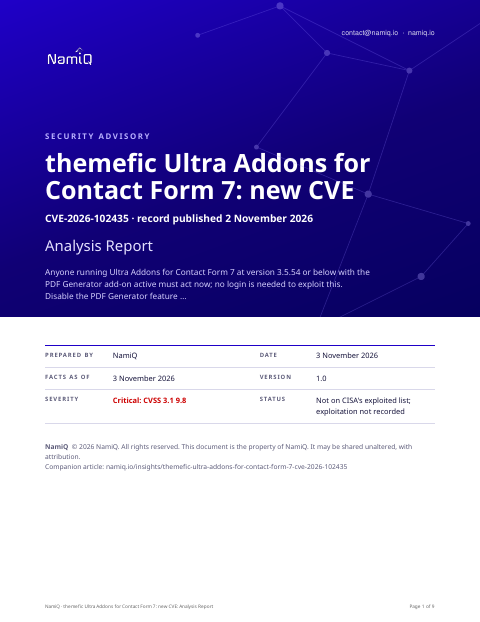 Free analysis report · 9 pagesthemefic Ultra Addons for Contact Form 7, CVE-2026-102435: a new CVE scored 9.8The same note as a document you can keep or forward: what the sources say, who is affected, and what to do first.Download the analysis report →
At a glance
| Fact | Detail |
|---|---|
| Product | themefic Ultra Addons for Contact Form 7 (CVE-2026-102435) |
| Severity | Critical: 9.8 (CVSS 3.1) |
| Status | A new CVE record, published by Wordfence on 2 November 2026. Not on CISA's list of exploited vulnerabilities when we read it on 3 November 2026, which means nothing public says yet that anyone is using it. |
| Fixed in | No source in this record names a fixed version. The record describes all versions up to and including 3.5.54 as affected. |
| Who looks first | WordPress site owners running Ultra Addons for Contact Form 7 at versions up to and including 3.5.54, where the PDF Generator add-on is active and at least one Contact Form 7 form is configured to generate PDFs. |
Does this apply to you?
| Question | If no | If yes |
|---|---|---|
| Do you run Ultra Addons for Contact Form 7 on WordPress? | Nothing to do for this CVE. | Check which version is installed. |
| Is the installed version at or below 3.5.54? | Not described as affected in the record's range; monitor for a patch confirmation. | Check whether the PDF Generator add-on is enabled. |
| Is the PDF Generator add-on enabled in the Ultra Addons settings? | The vulnerable code path cannot be reached; no action needed. | Check whether any Contact Form 7 form is configured for PDF generation. |
| Is at least one Contact Form 7 form configured for PDF generation? | Exploit chain incomplete; disable the feature as a precaution. | Disable PDF generation or deactivate the plugin immediately. |
What it is
An unauthenticated visitor can delete any file on the web server. The record notes that deleting the WordPress configuration file can lead to remote code execution, because WordPress treats its absence as the start of a fresh installation.
Why it matters
The score of 9.8 reflects that no login is needed and the outcome can be remote code execution. The record says the weakness is CWE-502 and uses a POP gadget chain in which object destruction is triggered to carry out the file deletion. Our reading is that the real leverage is the WordPress reinstall path: once the configuration file is deleted, WordPress prompts for a new database connection on the next visit, letting whoever arrives first claim the site. The two active conditions narrow the exposure but are common on sites that collect enquiries.
Exposure by situation
These priorities are our judgement from what the sources say about who can use the flaw and how. They are not vendor ratings.
| Your situation | Priority | Timeframe |
|---|---|---|
| Site running Ultra Addons ≤3.5.54, PDF Generator active, a CF7 form set to generate PDFs, internet-facing | High | Immediately — disable the feature or deactivate the plugin |
| Plugin at an affected version, PDF Generator active, but no CF7 form yet configured for PDF generation | Medium | This week — disable the feature and monitor for a patch |
| Plugin at an affected version with PDF Generator not enabled | Low | Next patch cycle once a fixed version is confirmed |
| Plugin installed but deactivated in WordPress | None | None for this CVE while deactivated |
| Ultra Addons for Contact Form 7 is not installed on the site | None | None for this CVE |
Things people will get wrong
- Updating Contact Form 7 itself will fix this. The flaw is in the Ultra Addons for Contact Form 7 plugin, not in Contact Form 7. The record says CF7 must be present for the exploit chain to work, but updating CF7 alone does not address the vulnerability.
- A score of 9.8 means every WordPress site using CF7 is exposed. The record says exploitation requires both the PDF Generator add-on to be active and at least one CF7 form configured for PDF generation. Sites without both conditions are not affected.
How we would triage it
This is our judgement.
Step 1: Find the version you run
- Open the Plugins screen in your WordPress admin and find Ultra Addons for Contact Form 7. The record describes all versions up to and including 3.5.54 as affected.
Step 2: Check whether PDF Generator is active
- In the Ultra Addons settings, check whether the PDF Generator add-on is enabled.
- Also check each Contact Form 7 form to see whether PDF generation is switched on. The record says both conditions must be present for exploitation.
Step 3: Reduce exposure now
- If the plugin is at an affected version and PDF Generator is active, disable the feature or deactivate the plugin. No source in this record names a fixed version, so there is nothing to patch to yet.
- If you cannot disable it immediately, consider restricting access to the site's contact forms while you arrange this.
Step 4: Apply the update when available
- Monitor your WordPress Plugins screen for an update to Ultra Addons for Contact Form 7. Once an update appears, apply it and confirm the installed version has changed.
To close it, read the version from the product itself, not from an old inventory, and save the output with the date. If you cannot update today, write down who owns it, the new date, and what limits exposure until then.
Send this to your IT provider
Copy it, change the names and dates, and send it. It is a draft for you to check, not a template tested with any provider.
We need you to check our WordPress site for CVE-2026-102435, a flaw (score 9.8) in the Ultra Addons for Contact Form 7 plugin. Please confirm: whether this plugin is installed, which version is running, whether the PDF Generator add-on is enabled, and whether any CF7 form is configured to generate PDFs. The record describes all versions up to and including 3.5.54 as affected; no login is needed to exploit it. If the plugin is at an affected version with PDF Generator active, please disable the feature immediately. No source yet names a fixed version; please monitor for an update and apply it promptly. We would like written confirmation of the version and steps taken by 10 November 2026.
The weakness behind it
The record classes this as CWE-502.
The sources, in their words
The CVE record:
The Ultra Addons for Contact Form 7 plugin for WordPress is vulnerable to arbitrary file deletion due to insufficient file path validation in the _getObjAttr function in all versions up to, and including, 3.5.54. This makes it possible for unauthenticated attackers to delete arbitrary files on the server, which can easily lead to remote code execution when the right file is deleted (such as wp-config.php). This requires the PDF Generator add-on to be active and a Contact Form 7 form to be configured for PDF generation, as the WPCF7_Submission POP gadget chain relies on CF7 being present to complete the file deletion via __destruct(). Note: This vulnerability can only be exploited when the …
Versions of themefic Ultra Addons for Contact Form 7 the record lists as affected:
- all versions up to, but not including, 3.5.54
Check your own project
If you build software, you can compare what a project declares with this CVE from a terminal. The tool reads requirements files, package.json, Maven, Gradle, Cargo, CMake and Dockerfile files, runs nothing, and only the CVE id leaves your machine. Naming the CVEs needs no key.
lattice-scan project . --cve CVE-2026-102435Each row says in-range, outside-range, undetermined or lead, with the file and line. That is evidence about what a manifest declares, not about what runs, and a person decides. The verdicts, the CSV columns and a pipeline recipe are in the guide.
Check the servers you run
The same id can be checked against a host. Run this on the machine itself, not on the laptop that deploys to it: it reads installed packages (dpkg, rpm or apk), snaps, the names of running container images and the kernel version, compares them on the spot, and only the CVE ids leave the machine; the inventory stays on it, in ~/.lattice-scan. Naming the CVEs needs no key. Do it on each server after a deployment, and again when a new entry lands.
lattice-scan --cve CVE-2026-102435A match is a candidate for a person to confirm, not a finding. A distribution can fix a CVE under an unchanged version number, so a match is a candidate; on Debian-family hosts the report also shows whether the package's own changelog names the CVE. It reads the names of the running images, not what is inside them; for what an image declares, use the project check on its Dockerfile.
Guide: namiq.io/lattice/guides/choose-your-channel. MCP server (io.namiq/lattice in the MCP registry): namiq.io/lattice. Package: pypi.org/project/lattice-scan, or namiq.io/apt.
- Which way into Lattice fits your job →The command line, the Claude skill or the MCP server: what each needs, what works without a key and how to read the result.
- Lattice, the MCP server →The public graph the command reads, for AI agents over MCP.
- Install and connect →The signed apt repository, the fingerprint, and the connection commands for each client.
What we do not know yet
- No source in this record names the first version in which the flaw is fixed.
- Whether 3.5.54 is the last affected version or the first fixed one — the record's description and its version range data give conflicting answers.
- Whether disabling the PDF Generator add-on alone is sufficient, or whether deactivating the plugin itself is required.
- Whether exploit code for this flaw has been published or is circulating publicly.
- Exploitation is not recorded. That is not the same as none.
- This is a new record: scores, versions and wording can change in the first days, and they are as at 3 November 2026. We read the vendor pages listed under Sources; nothing here has been tested.
- The sections headed "The bottom line", "Does this apply to you?", "What it is", "Why it matters", "Exposure by situation", "Things people will get wrong", "How we would triage it" and "Send this to your IT provider" are our interpretation of the sources, not a statement by CISA or the vendor.