Daily CVE highlight, 5 November 2026: 3 new critical CVEs worth reading
The bottom line
3 new records scored 8.5 or higher and nothing says yet that anyone is using them. If you run any of these products, check the version today.
827 CVE records were published in the last 30 hours. 129 scored 8.5 or higher. 3 are below, chosen by a fixed rule: highest score first, then fewest conditions in the wording, one product each. None is on CISA's exploited list, so a score here is the record's author describing the worst case. Read the condition before you act on the number.
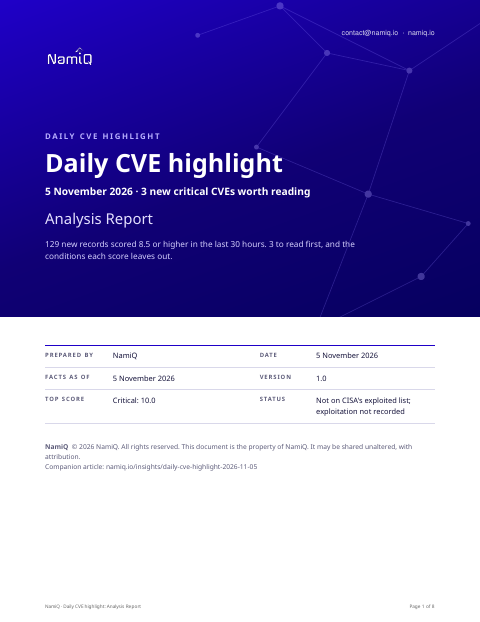 Free analysis report · 8 pagesDaily CVE highlight, 5 November 2026: 3 new critical CVEs worth readingThe same note as a document you can keep or forward: what the sources say, who is affected, and what to do first.Download the analysis report →
At a glance
| Product | Score | Fixed in | Read next |
|---|---|---|---|
| Apache Software Foundation Apache Juneau (CVE-2026-121489) | 10 (CVSS 4.0) | Apache Juneau 9.2.1, as stated in the CVE record. | Our note, below |
| Linksys E5350 (CVE-2026-121932) | 10 (CVSS 4.0) | See the note | Our note, below |
| Comfast CF-WR632AX (CVE-2026-122013) | 10 (CVSS 4.0) | See the note | Our note, below |
Apache Software Foundation Apache Juneau, CVE-2026-121489
Operators of Apache Juneau must check whether DirectoryResource's view, upload, or delete settings are enabled — if none are, there is nothing to do. The record gives a maximum severity score of 10; if any of those settings are on, upgrade to version 9.2.1 at once.
Score 10 (CVSS 4.0), published by Apache on 5 November 2026. Weakness: CWE-22.
A word search of the record found none of the usual conditions (privileges, a logged-in user, a non-default setting, local network, physical access, a click). That is a search, not a reading, so read the record yourself before you rule it out.
Linksys E5350, CVE-2026-121932
Owners of a Linksys E5350 on firmware 1.0.00.037 should act now: the exploit is public, no patch exists, and the vendor has not responded. Check first whether the router's admin interface is reachable from outside the local network, and restrict it if so.
Score 10 (CVSS 4.0), published by VulDB on 4 November 2026. Weakness: CWE-78, CWE-77.
A word search of the record found none of the usual conditions (privileges, a logged-in user, a non-default setting, local network, physical access, a click). That is a search, not a reading, so read the record yourself before you rule it out.
Comfast CF-WR632AX, CVE-2026-122013
Score 10 (CVSS 4.0), published by VulDB on 4 November 2026. Weakness: CWE-22.
A word search of the record found none of the usual conditions (privileges, a logged-in user, a non-default setting, local network, physical access, a click). That is a search, not a reading, so read the record yourself before you rule it out.
Fifteen minutes this morning
- List the products above you run. If none, you are done.
- For each one you run, read the version from the product and compare it to the fixed version in the table.
- If it is in range, follow the note: reduce exposure first, then update.
- Book the update, and write down who owns it and by when.
Check your own project
If you build software, you can compare what a project declares with these CVEs from a terminal. The tool reads requirements files, package.json, Maven, Gradle, Cargo, CMake and Dockerfile files, runs nothing, and only the CVE ids leave your machine. Naming the CVEs needs no key.
lattice-scan project . --cve CVE-2026-121489,CVE-2026-121932,CVE-2026-122013Each row says in-range, outside-range, undetermined or lead, with the file and line. That is evidence about what a manifest declares, not about what runs, and a person decides. The verdicts, the CSV columns and a pipeline recipe are in the guide.
Check the servers you run
The same ids can be checked against a host. Run this on the machine itself, not on the laptop that deploys to it: it reads installed packages (dpkg, rpm or apk), snaps, the names of running container images and the kernel version, compares them on the spot, and only the CVE ids leave the machine; the inventory stays on it, in ~/.lattice-scan. Naming the CVEs needs no key. Do it on each server after a deployment, and again when a new entry lands.
lattice-scan --cve CVE-2026-121489 --cve CVE-2026-121932 --cve CVE-2026-122013A match is a candidate for a person to confirm, not a finding. A distribution can fix a CVE under an unchanged version number, so a match is a candidate; on Debian-family hosts the report also shows whether the package's own changelog names the CVE. It reads the names of the running images, not what is inside them; for what an image declares, use the project check on its Dockerfile.
Guide: namiq.io/lattice/guides/choose-your-channel. MCP server (io.namiq/lattice in the MCP registry): namiq.io/lattice. Package: pypi.org/project/lattice-scan, or namiq.io/apt.
- Which way into Lattice fits your job →The command line, the Claude skill or the MCP server: what each needs, what works without a key and how to read the result.
- Lattice, the MCP server →The public graph the command reads, for AI agents over MCP.
- Install and connect →The signed apt repository, the fingerprint, and the connection commands for each client.
What we do not know yet
- These are new records. A record can change in the first days: scores, versions and wording are as at 5 November 2026. Nothing here has been tested.
- Exploitation is not recorded for any of them. That is not the same as none.