DrayTek Vigor2960, CVE-2026-129449: a new CVE scored 9.9
The bottom line
If you run a DrayTek Vigor2960 on firmware older than 1.5.1.7, ask your IT provider this week to confirm the version and upgrade to 1.5.1.7. If you have no Vigor2960, you can stop reading.
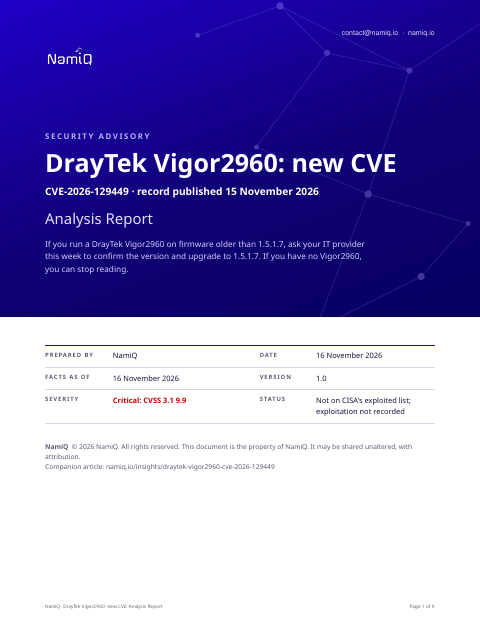 Free analysis report · 9 pagesDrayTek Vigor2960, CVE-2026-129449: a new CVE scored 9.9The same note as a document you can keep or forward: what the sources say, who is affected, and what to do first.Download the analysis report →
At a glance
| Fact | Detail |
|---|---|
| Product | DrayTek Vigor2960 (CVE-2026-129449) |
| Severity | Critical: 9.9 (CVSS 3.1) |
| Status | A new CVE record, published by VulDB on 15 November 2026. Not on CISA's list of exploited vulnerabilities when we read it on 16 November 2026, which means nothing public says yet that anyone is using it. |
| Fixed in | 1.5.1.7 (the record says upgrading to this version addresses the issue; no vendor page could be read) |
| Who looks first | Anyone who runs a DrayTek Vigor2960 router, and the IT provider who manages it, especially if its management page can be reached from the internet. |
Does this apply to you?
| Question | If no | If yes |
|---|---|---|
| Do you run a DrayTek Vigor2960 router or firewall? | Nothing to do for this CVE. | Check the firmware version (next question). |
| Is its firmware older than 1.5.1.7? | The record lists 1.5.1.7 as unaffected; keep it. | Plan the upgrade to 1.5.1.7 this week. |
| Can its web management page be reached from the internet or by untrusted users? | Risk is lower, but still upgrade. | Close that access now, then upgrade. |
What it is
The record says an attacker can send crafted input to the router's web management script over the network and make it run commands of the attacker's choosing. The record says the exploit has been disclosed publicly.
Exposure by situation
These priorities are our judgement from what the sources say about who can use the flaw and how. They are not vendor ratings.
| Your situation | Priority | Timeframe |
|---|---|---|
| A Vigor2960 on an older firmware with its management page open to the internet | Medium | Now: restrict access, then upgrade this week |
| A Vigor2960 on an older firmware, management reachable only from the internal network | Medium | This week |
| A Vigor2960 already on 1.5.1.7 | Low | Confirm the version, nothing more for this CVE |
| No Vigor2960 anywhere in the estate | None | None for this CVE |
Things people will get wrong
- "It is not on CISA's list, so nobody is using it." The record says the exploit has been disclosed publicly and may be used. Absence from the list does not show it is safe.
- "The vendor has a newer release planned, so we can wait." The vendor's quoted comment mentions a further release in its plan, but the record names 1.5.1.7 as the version that addresses this issue.
- "Our router is behind a firewall, so it does not matter." The record says the attack can be started remotely. If management is reachable from anywhere untrusted, it matters.
How we would triage it
This is our judgement.
Step 1: Find out whether and where you run a Vigor2960
- Ask your IT provider for a list of DrayTek routers and firewalls, with model names.
- Check any branch offices or sites managed by someone else.
Step 2: Read the firmware version
- Open the router's management page from inside the network and note the firmware version shown on the dashboard.
- Compare it with 1.5.1.7, the version the record says addresses the issue.
Step 3: Reduce exposure
- Turn off management access from the internet, or limit it to named addresses.
- The record says the attack can be started remotely, so this lowers risk until the upgrade is done.
Step 4: Upgrade and confirm
- Upgrade to 1.5.1.7 in a planned window, with the configuration backed up first.
- Read the version again afterwards and ask for it in writing.
To close it, read the version from the product itself, not from an old inventory, and save the output with the date. If you cannot update today, write down who owns it, the new date, and what limits exposure until then.
Send this to your IT provider
Copy it, change the names and dates, and send it. It is a draft for you to check, not a template tested with any provider.
Hello, we have seen CVE-2026-129449, a command injection flaw in the DrayTek Vigor2960 web management script. Could you tell us whether we run any Vigor2960 devices, where they are, and which firmware version each uses? The record says versions up to 1.5.1.6 are affected and that 1.5.1.7 addresses the issue. If any device is older, please restrict its management access now and upgrade it to 1.5.1.7. Please confirm the versions and the fix to us in writing by the end of this week. Thank you.
The weakness behind it
The record classes this as CWE-77 and CWE-74.
Likely ATT&CK mapping
MITRE ATT&CK is a public catalogue of the steps attackers take, from getting in to causing damage. No source has mapped this flaw to it yet, so the steps below are our prediction from what the record says the flaw allows. They are not MITRE's, the vendor's or CISA's, and an attacker may do other things.
| The step, in plain words | Stage of an attack | Why we think so |
|---|---|---|
| Exploit Public-Facing Application (T1190): Breaking in through a service that faces the internet, such as a web server, VPN or login page. | Initial Access: getting in | The record says the flaw can be attacked remotely through a web script on the device, so it would likely be used to get in through the router's exposed management interface. |
| Command and Scripting Interpreter (T1059): Running commands or scripts on a machine, such as a shell or PowerShell. | Execution: running the attacker's code | The weakness is command injection, so a successful attack would typically let the attacker run commands of their choice on the device. |
How to use this: ask your IT provider which control or log would show each step, for example whether sign-in attempts from the internet are recorded. If nobody can answer, that is the gap to close first.
MITRE ATT&CK® is a registered trademark of The MITRE Corporation. Technique names are MITRE's.
The sources, in their words
The CVE record:
A security vulnerability has been detected in DrayTek Vigor2960 up to 1.5.1.6. Affected by this vulnerability is the function sub_14914 of the file /cgi-bin/mainfunction.cgi. The manipulation of the argument swmconfigupload leads to command injection. It is possible to initiate the attack remotely. The exploit has been disclosed publicly and may be used. Upgrading to version 1.5.1.7 addresses this issue. It is advisable to upgrade the affected component. The vendor recommends: "1.5.1.6 isn't the latest version of 2960, the latest version fixes many security issues. And we have another one in our release plan which should solve the issues reported."
Versions of DrayTek Vigor2960 the record lists as affected:
- 1.5.1.0
- 1.5.1.1
- 1.5.1.2
- 1.5.1.3
- 1.5.1.4
- 1.5.1.5
- 1.5.1.6
It lists these as unaffected:
- 1.5.1.7
Check your own project
If you build software, you can compare what a project declares with this CVE from a terminal. The tool reads requirements files, package.json, Maven, Gradle, Cargo, CMake and Dockerfile files, runs nothing, and only the CVE id leaves your machine. Naming the CVEs needs no key.
lattice-scan project . --cve CVE-2026-129449Each row says in-range, outside-range, undetermined or lead, with the file and line. That is evidence about what a manifest declares, not about what runs, and a person decides. The verdicts, the CSV columns and a pipeline recipe are in the guide.
Check the servers you run
The same id can be checked against a host. Run this on the machine itself, not on the laptop that deploys to it: it reads installed packages (dpkg, rpm or apk), snaps, the hardware (maker, model, firmware), the running container images with their operating system and packages, and the kernel version, compares them on the spot, and only the CVE ids leave the machine; the inventory stays on it, in ~/.lattice-scan. Naming the CVEs needs no key. Do it on each server after a deployment, and again when a new entry lands.
lattice-scan --cve CVE-2026-129449A match is a candidate for a person to confirm, not a finding. A distribution can fix a CVE under an unchanged version number, so a match is a candidate; on Debian-family hosts the report also shows whether the package's own changelog names the CVE. By default it opens the images your containers are running and reads their operating system and package list; a deep scan (--deep, a few minutes) opens every local image and the Python, Node, Java and Ruby packages inside them; for what an image declares, use the project check on its Dockerfile.
Guide: namiq.io/lattice/guides/choose-your-channel. MCP server (io.namiq/lattice in the MCP registry): namiq.io/lattice. Package: pypi.org/project/lattice-scan, or namiq.io/apt.
- Which way into Lattice fits your job →The command line, the Claude skill or the MCP server: what each needs, what works without a key and how to read the result.
- Lattice, the MCP server →The public graph the command reads, for AI agents over MCP.
- Install and connect →The signed apt repository, the fingerprint, and the connection commands for each client.
What we do not know yet
- Whether a login is needed to reach the flaw; the record does not say.
- Whether the vendor has published its own advisory; no vendor page could be read.
- Whether any workaround exists short of upgrading; the sources name none.
- Whether the vendor's planned further release changes the fixed version.
- Exploitation is not recorded. That is not the same as none.
- This is a new record: scores, versions and wording can change in the first days, and they are as at 16 November 2026. We have not read the vendor's advisory page and we have not tested it.
- The sections headed "The bottom line", "Does this apply to you?", "What it is", "Exposure by situation", "Things people will get wrong", "Likely ATT&CK mapping", "How we would triage it" and "Send this to your IT provider" are our interpretation of the sources, not a statement by CISA or the vendor.