Adobe Connect, CVE-2026-121351: a new CVE scored 10
The bottom line
Any organisation running Adobe Connect on Windows should act now: the record scores this 10.0 with no login required. Find your installed version first — the vendor's advisory (APSB26-191, 10 November 2026) names fixed releases for each supported branch.
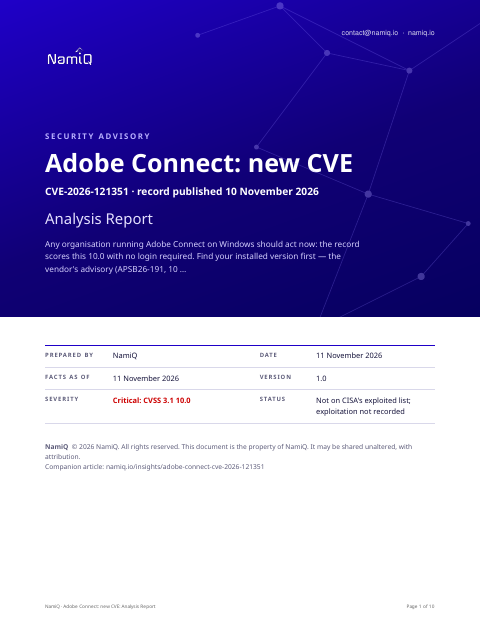 Free analysis report · 10 pagesAdobe Connect, CVE-2026-121351: a new CVE scored 10The same note as a document you can keep or forward: what the sources say, who is affected, and what to do first.Download the analysis report →
At a glance
| Fact | Detail |
|---|---|
| Product | Adobe Connect (CVE-2026-121351) |
| Severity | Critical: 10 (CVSS 3.1) |
| Status | A new CVE record, published by Adobe on 10 November 2026. Not on CISA's list of exploited vulnerabilities when we read it on 11 November 2026, which means nothing public says yet that anyone is using it. |
| Fixed in | Per the vendor's advisory (APSB26-191, 10 November 2026): 12.12.a, 12.11.i, 12.10.f, 12.9.a, and 12.8.a on Windows. The CVE record names 12.8.a as the first unaffected release. |
| Who looks first | Anyone running Adobe Connect on Windows. The CVE record names versions up to and including 12.8 as affected; the vendor's advisory (APSB26-191) covers 12.12 and earlier. If you host Connect for meetings or training, check your version. |
Does this apply to you?
| Question | If no | If yes |
|---|---|---|
| Do you run Adobe Connect on Windows? | Nothing to do for this CVE. | Check which version is installed. |
| Is the installed version 12.12 or earlier? | The vendor's advisory does not list your version as affected. | Treat the system as affected and move to the next question. |
| Can anyone outside your trusted network reach the Connect server? | Patch this week; no login is still needed from inside the network. | Patch immediately: no login is needed to exploit this over any network. |
What it is
A path traversal flaw lets an attacker read files and directories outside the area Adobe Connect is meant to access. The record says no account and no user interaction are needed. Access is over a network.
Why it matters
The record scores this 10.0 and says exploitation needs no login and no user interaction, with scope changed. The description says the flaw gives read access to sensitive files and directories outside the application's intended scope. Our reading is that scope changed at CVSS 10.0 with no prerequisites warrants treating this as urgent, even though the vendor's advisory states Adobe is not aware of exploits in the wild for any issue in this update and rates it Priority 2.
What the vendor's advisory says
We read one page on www.adobe.com. In short:
- APSB26-191 (10 November 2026) covers critical, high, and medium flaws in Adobe Connect on Windows. Adobe says it is not aware of exploits in the wild for any issue addressed in this update.
- CVE-2026-121356 and CVE-2026-121889: SSRF (CWE-918), privilege escalation, Critical, CVSS 10.0, network-accessible with no login needed.
- CVE-2026-121352: Incorrect Authorization (CWE-863), privilege escalation, Critical, CVSS 10.0, no login needed. CVE-2026-121353: CRLF Injection (CWE-93), privilege escalation, Critical, CVSS 10.0, no login needed.
- CVE-2026-121354: Path Traversal (CWE-22), arbitrary code execution, Critical, CVSS 9.9, low-privilege account needed. CVE-2026-121887: XXE (CWE-611), arbitrary code execution, Critical, CVSS 9.9.
- CVE-2026-121892, CVE-2026-121894, CVE-2026-121896: Code Injection and SQL Injection, arbitrary code execution, Critical, CVSS 9.9; the source text lists further CVEs in APSB26-191 that are not fully reproduced.
Exposure by situation
These priorities are our judgement from what the sources say about who can use the flaw and how. They are not vendor ratings.
| Your situation | Priority | Timeframe |
|---|---|---|
| Adobe Connect on an affected version, reachable from the internet | Medium | Immediately; patch before the next working day |
| Adobe Connect on an affected version, internal network only | Medium | This week; no login is needed from inside the network too |
| Adobe Connect version not yet confirmed | Medium | Confirm the version today before deciding next steps |
| Adobe Connect already updated to 12.12.a, 12.11.i, 12.10.f, 12.9.a, or 12.8.a | None | No action needed for this CVE |
| Adobe Connect is not installed on any Windows host | None | No action needed for this CVE |
Things people will get wrong
- Only version 12.8 is affected. The CVE record names versions up to 12.8, but the vendor's advisory (APSB26-191) says 12.12 and earlier are affected. Use the advisory range for patching decisions.
- CVSS 10.0 means attackers are exploiting this now. The score reflects how easy exploitation would be, not whether it is happening. The vendor's advisory says Adobe is not aware of exploits in the wild, and the record is not on CISA's exploited list.
- A user must do something for the attack to work. The record description and CVSS vector (UI:N) both say no user interaction is needed. A word search found 'needs a user action' in the source; the record's own description contradicts this.
The wording includes conditions the score may not show: needs a user action. Read the record before you decide it does not apply to you.
How we would triage it
This is our judgement.
Step 1: Find the Adobe Connect version you run
- Log in to the Adobe Connect Central administration console and note the version shown. If the version is 12.12 or earlier (per the advisory) or 12.8 or earlier (per the CVE record), treat the installation as affected.
- The vendor's advisory covers versions up to 12.12 and the CVE record covers up to 12.8; the advisory is the broader statement and should be used for patching decisions.
Step 2: Reduce exposure while you prepare the patch
- If the server is internet-facing and cannot be patched immediately, restrict access to known IP ranges. The record says no login is needed, so a network-layer control is the only interim measure available.
- Document when the restriction was applied and who can still reach the server.
Step 3: Apply the update from APSB26-191
- The vendor's advisory lists fixed releases: 12.12.a, 12.11.i, 12.10.f, 12.9.a, and 12.8.a on Windows. Apply the release that matches your installed branch.
- Follow the Release Notes for APSB26-191 for installation steps, as listed in the advisory.
Step 4: Confirm the update and record the outcome
- After updating, return to Adobe Connect Central and confirm the version shown matches one of the fixed releases listed above.
- Record the version before and after, the date of the update, and who applied it.
To close it, read the version from the product itself, not from an old inventory, and save the output with the date. If you cannot update today, write down who owns it, the new date, and what limits exposure until then.
Send this to your IT provider
Copy it, change the names and dates, and send it. It is a draft for you to check, not a template tested with any provider.
We are writing about CVE-2026-121351, a path traversal vulnerability in Adobe Connect on Windows, scored 10.0 (CVSS 3.1). The vendor published advisory APSB26-191 on 10 November 2026. Could you confirm whether we run Adobe Connect, on which hosts, and which version? The advisory says versions 12.12 and earlier are affected. Fixed releases are 12.12.a, 12.11.i, 12.10.f, 12.9.a, and 12.8.a. No login is needed to exploit this. Please can we have written confirmation of the installed version and whether the patch has been applied, as soon as possible.
The weakness behind it
The record classes this as CWE-22.
Likely ATT&CK mapping
MITRE ATT&CK is a public catalogue of the steps attackers take, from getting in to causing damage. No source has mapped this flaw to it yet, so the steps below are our prediction from what the record says the flaw allows. They are not MITRE's, the vendor's or CISA's, and an attacker may do other things.
| The step, in plain words | Stage of an attack | Why we think so |
|---|---|---|
| Exploit Public-Facing Application (T1190): Breaking in through a service that faces the internet, such as a web server, VPN or login page. | Initial Access: getting in | The record says the flaw is reachable over a network with no login needed; this would typically be exploited against the Connect server if it faces the internet. |
| File and Directory Discovery (T1083): Listing files and folders to find what is there. | Discovery: looking around | The flaw is a path traversal (CWE-22) that the record says reads files outside the intended scope; this would likely be used to discover what sensitive files are accessible. |
| Unsecured Credentials: Credentials In Files (T1552.001): Finding passwords or keys left in files. | Credential Access: stealing logins | The record says sensitive files outside the application scope can be read; credential files stored on the server's file system would likely be a target of such access. |
How to use this: ask your IT provider which control or log would show each step, for example whether sign-in attempts from the internet are recorded. If nobody can answer, that is the gap to close first.
MITRE ATT&CK® is a registered trademark of The MITRE Corporation. Technique names are MITRE's.
The sources, in their words
The CVE record:
Adobe Connect is affected by an Improper Limitation of a Pathname to a Restricted Directory ('Path Traversal') vulnerability that could lead to arbitrary file system read. An attacker could exploit this vulnerability to access sensitive files and directories outside the intended access scope. Exploitation of this issue does not require user interaction. Scope is changed.
Versions of Adobe Connect the record lists as affected:
- all versions up to and including 12.8
- all versions up to and including 12.9
- all versions up to and including 12.10
- all versions up to and including 12.11
It lists these as unaffected:
- 12.8.a
- 12.9.a
- 12.10.f
- 12.11.i
Check your own project
If you build software, you can compare what a project declares with this CVE from a terminal. The tool reads requirements files, package.json, Maven, Gradle, Cargo, CMake and Dockerfile files, runs nothing, and only the CVE id leaves your machine. Naming the CVEs needs no key.
lattice-scan project . --cve CVE-2026-121351Each row says in-range, outside-range, undetermined or lead, with the file and line. That is evidence about what a manifest declares, not about what runs, and a person decides. The verdicts, the CSV columns and a pipeline recipe are in the guide.
Check the servers you run
The same id can be checked against a host. Run this on the machine itself, not on the laptop that deploys to it: it reads installed packages (dpkg, rpm or apk), snaps, the hardware (maker, model, firmware), the running container images with their operating system and packages, and the kernel version, compares them on the spot, and only the CVE ids leave the machine; the inventory stays on it, in ~/.lattice-scan. Naming the CVEs needs no key. Do it on each server after a deployment, and again when a new entry lands.
lattice-scan --cve CVE-2026-121351A match is a candidate for a person to confirm, not a finding. A distribution can fix a CVE under an unchanged version number, so a match is a candidate; on Debian-family hosts the report also shows whether the package's own changelog names the CVE. By default it opens the images your containers are running and reads their operating system and package list; a deep scan (--deep, a few minutes) opens every local image and the Python, Node, Java and Ruby packages inside them; for what an image declares, use the project check on its Dockerfile.
Guide: namiq.io/lattice/guides/choose-your-channel. MCP server (io.namiq/lattice in the MCP registry): namiq.io/lattice. Package: pypi.org/project/lattice-scan, or namiq.io/apt.
- Which way into Lattice fits your job →The command line, the Claude skill or the MCP server: what each needs, what works without a key and how to read the result.
- Lattice, the MCP server →The public graph the command reads, for AI agents over MCP.
- Install and connect →The signed apt repository, the fingerprint, and the connection commands for each client.
What we do not know yet
- Whether working exploit code for CVE-2026-121351 is publicly available.
- Whether the file read can reach OS-level credential or configuration files, or is limited to application directories; the record does not specify.
- Why the CVE record names versions up to 12.8 as affected while the vendor's advisory covers 12.12 and earlier; the reason for the discrepancy is not stated in either source.
- The advisory lists the impact of CVE-2026-121351 as 'privilege escalation' while the CVE record description says 'arbitrary file system read'; which outcome applies is not clarified by the sources.
- Exploitation is not recorded. That is not the same as none.
- This is a new record: scores, versions and wording can change in the first days, and they are as at 11 November 2026. We read the vendor pages listed under Sources; nothing here has been tested.
- The sections headed "The bottom line", "Does this apply to you?", "What it is", "Why it matters", "Exposure by situation", "Things people will get wrong", "Likely ATT&CK mapping", "How we would triage it" and "Send this to your IT provider" are our interpretation of the sources, not a statement by CISA or the vendor.