OpenBSD OpenSSH, CVE-2026-123158: a new CVE scored 8.1
The bottom line
Administrators running OpenSSH on Alpine Linux or any other Linux system using musl libc without PAM must act now: set PasswordAuthentication=no or upgrade to 10.6p2. If you do not run Alpine Linux or a musl libc-based Linux system, this CVE does not apply to you.
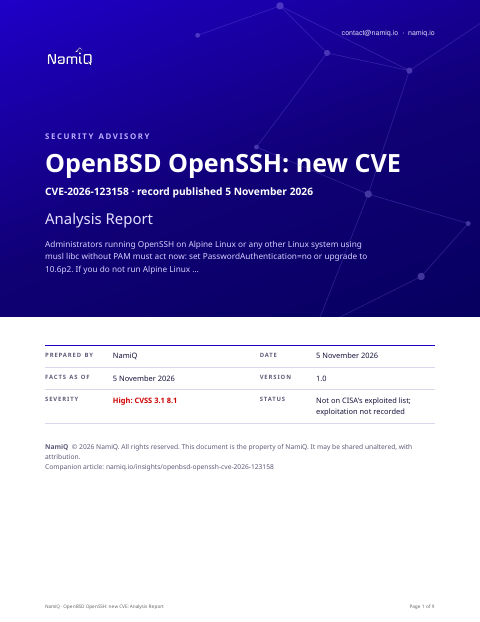 Free analysis report · 9 pagesOpenBSD OpenSSH, CVE-2026-123158: a new CVE scored 8.1The same note as a document you can keep or forward: what the sources say, who is affected, and what to do first.Download the analysis report →
At a glance
| Fact | Detail |
|---|---|
| Product | OpenBSD OpenSSH (CVE-2026-123158) |
| Severity | High: 8.1 (CVSS 3.1) |
| Status | A new CVE record, published by Mitre on 5 November 2026. Not on CISA's list of exploited vulnerabilities when we read it on 5 November 2026, which means nothing public says yet that anyone is using it. |
| Fixed in | OpenSSH 10.6p2, released 5 November 2026 per the developer's advisory. Alpine Linux made an updated package available at the same time. |
| Who looks first | Administrators running OpenSSH on Linux with musl libc and without PAM — Alpine Linux is the stated example. The developer's advisory says the flaw does not exist on non-Linux systems, Linux/glibc systems, or Linux systems using PAM. |
Does this apply to you?
| Question | If no | If yes |
|---|---|---|
| Do you run OpenSSH on any Linux system? | Nothing to do for this CVE. | Check whether that system uses musl libc without PAM (next question). |
| Does that Linux system use musl libc and run without PAM? Alpine Linux does; Debian and RHEL use glibc. | Nothing to do for this CVE on that system. | Check the OpenSSH version (next question). |
| Is the installed OpenSSH version earlier than 10.6p2? | The flaw is not present; this system is patched. | Check whether password authentication is enabled (next question). |
| Is password authentication enabled in sshd (PasswordAuthentication yes)? | Attack path closed; upgrade to 10.6p2 when possible. | Disable it now or upgrade to 10.6p2 without delay. |
What it is
On certain Linux systems, sshd allows a remote attacker to bypass password authentication, gaining access with any password between 256 and 1024 characters. The flaw is limited to systems using musl libc without PAM.
Why it matters
The record scores this 8.1 (CVSS 3.1). An attacker with network access to sshd can bypass password authentication on affected systems; any password between 256 and 1024 characters succeeds for some account configurations. The record describes this as a misinterpretation of whether a string is intended to be a password hash. The developer's advisory says the root cause is outside OpenSSH itself; 10.6p2 is a workaround. The developer released it urgently, noting that rapid rediscovery by automated tools was a reason not to hold a long embargo. This CVE is not currently on CISA's exploited list.
What the vendor's advisory says
We read two pages on news.ycombinator.com and marc.info. In short:
- The developer's advisory (5 November 2026) says to set PasswordAuthentication=no or disable SSH immediately on any Linux system using musl libc without PAM. Alpine Linux is the named example.
- The advisory states: 'This vulnerability does not exist on non-Linux systems, Linux/glibc systems and Linux systems that use PAM for password authentication.'
- The advisory describes 10.6p2 as a workaround, not a fix: 'We consider the root cause of this bug to be outside OpenSSH itself, but we're in a good position to deliver a mitigation quickly.'
- The advisory credits Özgün Kıltekin of Wakefield with the report and Alpine Linux developers for making an updated release available at short notice.
Exposure by situation
These priorities are our judgement from what the sources say about who can use the flaw and how. They are not vendor ratings.
| Your situation | Priority | Timeframe |
|---|---|---|
| Alpine Linux (or any musl libc, no-PAM Linux) with sshd exposed to the internet and password authentication on | Medium | Now — disable password auth or upgrade to 10.6p2 immediately |
| Alpine Linux system with sshd on an internal network, password authentication enabled, running a version before 10.6p2 | Medium | This week — apply the workaround or upgrade to 10.6p2 |
| Alpine Linux system with PasswordAuthentication already set to no, running a version before 10.6p2 | Medium | Next patch cycle — upgrade to 10.6p2 to get the workaround in place |
| Linux system using glibc (Ubuntu, Debian, RHEL) or with PAM enabled for SSH | None | None for this CVE |
| Non-Linux systems (macOS, BSD, Windows) running OpenSSH | None | None — the advisory says the flaw does not exist on non-Linux systems |
Things people will get wrong
- 'Any password works against any OpenSSH server.' The record and developer's advisory limit this to Linux systems using musl libc without PAM. The developer states it does not exist on non-Linux systems, Linux/glibc systems, or PAM-enabled systems.
- 'Upgrading to 10.6p2 fully fixes the root cause.' The developer's advisory says 10.6p2 delivers a workaround, not a fix: the root cause is considered to be outside OpenSSH itself.
- 'The flaw affects every account on a vulnerable system.' The record says the bypass succeeds for 'some configurations of accounts' — not every account. The specific configurations are not described in the record or advisory.
How we would triage it
This is our judgement.
The commands only read: they print a version or list what is installed. They come from general knowledge of this kind of product, not from the sources, so check them against the vendor's page before you run them. Words in capitals are for you to fill in.
Step 1: Find which systems run sshd on musl libc without PAM
- Check whether the system is Alpine Linux — the developer's advisory names it as the primary example of a Linux system using musl libc without PAM.
- Confirm whether PAM is configured for sshd; the developer's advisory says the flaw does not exist where PAM is active for password authentication.
- Note the installed OpenSSH version; the affected range is all versions before 10.6p2 per the record.
cat /etc/os-release
ssh -V
Step 2: Apply the immediate workaround on affected systems
- The developer's advisory says: set PasswordAuthentication=no in sshd_config and restart sshd, or disable SSH entirely on affected systems.
- This closes the attack path and should be done on any internet-facing affected system before the upgrade is applied.
Step 3: Upgrade to OpenSSH 10.6p2
- The fixed version is 10.6p2, released 5 November 2026 per the developer's advisory. Alpine Linux made a package available at the same time.
- Update the OpenSSH package through the system's package manager and confirm the installed version is 10.6p2 or later.
Step 4: Review access logs for any exposure window
- Check sshd authentication logs for successful password logins from unexpected sources during any period before the workaround was applied.
- Look for logins to accounts that should not have remote access, or successful authentications at unusual times.
To close it, read the version from the product itself, not from an old inventory, and save the output with the date. If you cannot update today, write down who owns it, the new date, and what limits exposure until then.
Send this to your IT provider
Copy it, change the names and dates, and send it. It is a draft for you to check, not a template tested with any provider.
We have been made aware of CVE-2026-123158, a password authentication bypass in OpenSSH affecting Linux systems that use musl libc without PAM — Alpine Linux is the stated example. Any password between 256 and 1024 characters can succeed against some account configurations. The fixed version is 10.6p2, released 5 November 2026. Please confirm whether we run OpenSSH on Alpine Linux or any other musl-based Linux system, which version is installed, and whether the workaround (PasswordAuthentication=no) or the upgrade to 10.6p2 has been applied. We would like written confirmation of the version and the fix status by 12 November 2026.
The weakness behind it
The record classes this as CWE-394.
The sources, in their words
The CVE record:
sshd in OpenSSH before 10.6p2 on Linux, when musl libc is used without PAM, lacks a workaround for a password authentication bypass (related to misinterpretation of whether a string is intended to be a password hash). For some configurations of accounts, any password between 256 and 1024 characters succeeds. An example of a platform using musl libc without PAM is Alpine Linux.
Versions of OpenBSD OpenSSH the record lists as affected:
- all versions before 10.6p2
The record gives no version ranges. Use the vendor's advisory for the affected versions.
Check your own project
If you build software, you can compare what a project declares with this CVE from a terminal. The tool reads requirements files, package.json, Maven, Gradle, Cargo, CMake and Dockerfile files, runs nothing, and only the CVE id leaves your machine. Naming the CVEs needs no key.
lattice-scan project . --cve CVE-2026-123158Each row says in-range, outside-range, undetermined or lead, with the file and line. That is evidence about what a manifest declares, not about what runs, and a person decides. The verdicts, the CSV columns and a pipeline recipe are in the guide.
Check the servers you run
The same id can be checked against a host. Run this on the machine itself, not on the laptop that deploys to it: it reads installed packages (dpkg, rpm or apk), snaps, the names of running container images and the kernel version, compares them on the spot, and only the CVE ids leave the machine; the inventory stays on it, in ~/.lattice-scan. Naming the CVEs needs no key. Do it on each server after a deployment, and again when a new entry lands.
lattice-scan --cve CVE-2026-123158A match is a candidate for a person to confirm, not a finding. A distribution can fix a CVE under an unchanged version number, so a match is a candidate; on Debian-family hosts the report also shows whether the package's own changelog names the CVE. It reads the names of the running images, not what is inside them; for what an image declares, use the project check on its Dockerfile.
Guide: namiq.io/lattice/guides/choose-your-channel. MCP server (io.namiq/lattice in the MCP registry): namiq.io/lattice. Package: pypi.org/project/lattice-scan, or namiq.io/apt.
- Which way into Lattice fits your job →The command line, the Claude skill or the MCP server: what each needs, what works without a key and how to read the result.
- Lattice, the MCP server →The public graph the command reads, for AI agents over MCP.
- Install and connect →The signed apt repository, the fingerprint, and the connection commands for each client.
What we do not know yet
- The record and advisory do not specify which account configurations are affected — only 'some configurations' are mentioned.
- No information is given on whether the flaw can be exploited without knowing a valid account name on the target system.
- The advisory does not confirm whether the Alpine Linux 10.6p2 package is available for all supported Alpine Linux versions.
- It is not stated whether other musl libc-based Linux distributions beyond Alpine Linux are equally affected.
- Exploitation is not recorded. That is not the same as none.
- This is a new record: scores, versions and wording can change in the first days, and they are as at 5 November 2026. We read the vendor pages listed under Sources; nothing here has been tested.
- The sections headed "The bottom line", "Does this apply to you?", "What it is", "Why it matters", "Exposure by situation", "Things people will get wrong", "How we would triage it" and "Send this to your IT provider" are our interpretation of the sources, not a statement by CISA or the vendor.
Sources
- CVE record for CVE-2026-123158
- CISA Known Exploited Vulnerabilities catalogue
- Advisory or release notes read: news.ycombinator.com/item
- Advisory or release notes read: marc.info
- Reference in the CVE record: www.openssh.org
- Reference in the CVE record: github.com
- Reference in the CVE record: news.ycombinator.com